
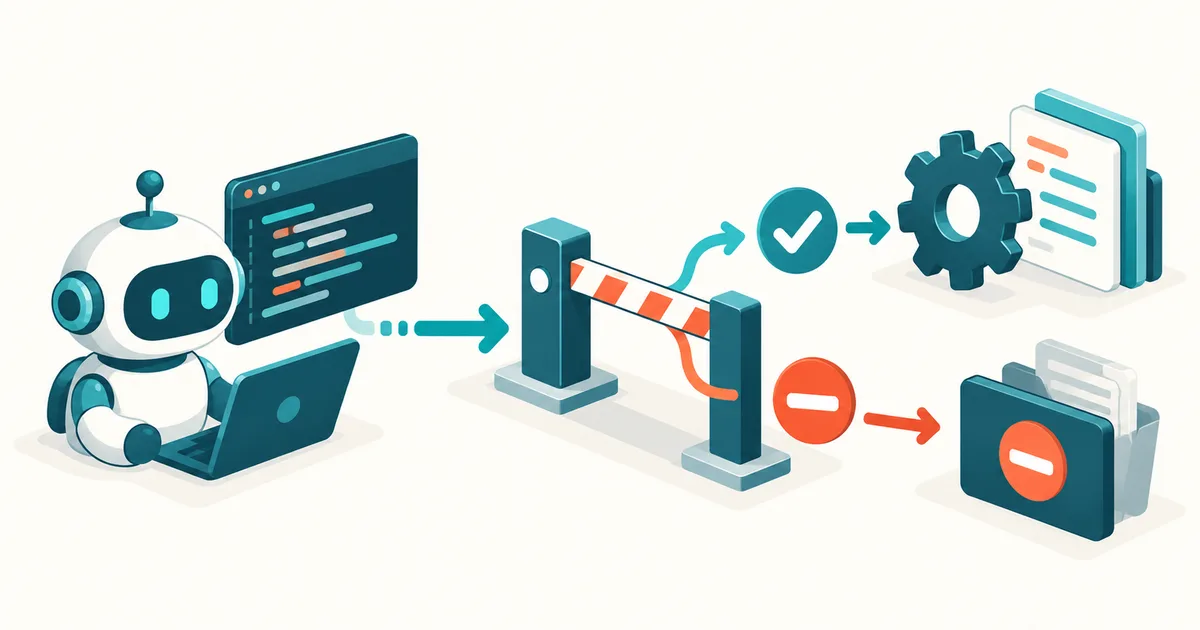
Claude Code can edit files, run shell commands, start tests, and talk to external tools. The more autonomously a coding agent works, though, the more important one question becomes: how do you make sure certain rules are actually followed?
An instruction in a CLAUDE.md file can, for example, tell Claude to run tests before finishing a task. But that kind of instruction is still just an instruction to a language model.
A Claude Code hook goes a step further. Hooks run automatically at defined points in the Claude Code workflow. That lets you, for example, block dangerous shell commands, automatically format code after changes, enforce tests, or load extra information when a session starts.
Anthropic accordingly describes hooks as a mechanism for deterministic actions within the agent lifecycle: certain actions simply happen automatically, instead of relying on the model to remember them on its own. For larger projects especially, that makes a real difference.
What are Claude Code hooks?
Put simply, a hook is an automatic trigger. Claude Code reaches a specific point in its workflow — for example, right before running a shell command — and that triggers a check or action you've defined.
The principle looks something like this:
Claude wants to run a Bash command
↓
PreToolUse
↓
Security check
↓
allowed / blocked
↓
Command runs
That shifts part of the control away from the AI model and into a technically defined rule. That's the key difference.
A rule like "Please never push directly to main" can live in a CLAUDE.md. With a hook, though, you can actually inspect which Bash command is about to run and block a disallowed push.
CLAUDE.md or hook: what's the difference?
CLAUDE.md and hooks do different jobs and should complement each other. In CLAUDE.md you describe things like architecture, coding conventions, project structure, or workflows. A typical entry might read: "New features must have unit tests. Direct pushes to main aren't allowed. TypeScript files must be formatted with Prettier." That tells Claude how it's supposed to work.
Hooks, by contrast, are suited to rules whose compliance can be technically checked or automated. A useful way to remember it: CLAUDE.md describes the desired behavior. Hooks control or automate that behavior. For more on how CLAUDE.md and AGENTS.md differ and work together, see AGENTS.md vs. CLAUDE.md: Which File Does Your AI Coding Project Need? (Read article).
For professional Claude Code projects, combining both is therefore considerably stronger than one ever-growing prompt file.
Where are Claude Code hooks stored?
Hooks can be defined at different levels. For a single project, the file that matters most is .claude/settings.json. It can be checked into Git along with the project, so every developer on a team uses the same project-level hooks.
There's also ~/.claude/settings.json for personal settings that apply across all projects, and .claude/settings.local.json for project-specific settings meant to stay on your own machine only.
Centrally managed enterprise policies, as well as hooks inside plugins, skills, and agents, are now supported too. For shared project rules, .claude/settings.json is usually the most interesting starting point.
How is a Claude Code hook structured?
The basic structure looks like this:
{
  "hooks": {
    "PostToolUse": [
      {
        "matcher": "Edit|Write",
        "hooks": [
          {
            "type": "command",
            "command": "${CLAUDE_PROJECT_DIR}/.claude/hooks/format-file.sh",
            "args": []
          }
        ]
      }
    ]
  }
}
There are three important layers here: event → matcher → hook. The event determines when something happens. The matcher determines which tools the rule applies to. The actual hook determines what runs.
Matchers can, for example, target only Bash, or several tools at once, such as "matcher": "Edit|Write".
Current Claude Code versions also support an if field, which lets you filter tool calls even more precisely based on the arguments used. That lets you, for example, distinguish between an arbitrary Bash command and a git push.
The most important Claude Code hook events
Claude Code now has numerous lifecycle events. For getting started, though, a handful of especially important ones are enough.
| Hook | When it fires | Typical use case |
|---|---|---|
| SessionStart | Session starts or resumes | Load project status or context |
| UserPromptSubmit | User submits a prompt | Check input or add context |
| PreToolUse | Before a tool call | Prevent dangerous actions |
| PermissionRequest | Claude needs a permission | Control approvals |
| PostToolUse | After a successful tool call | Formatting or checks |
| PostToolUseFailure | A tool call failed | Log or analyze the error |
| PostToolBatch | Parallel tool calls finished | Check the overall result |
| SubagentStart | A subagent starts | Pass additional context |
| SubagentStop | A subagent wants to stop | Review the result |
| TaskCompleted | A task is about to be marked complete | Enforce tests or quality checks |
| Stop | Claude wants to finish its work | Control completion conditions |
| ConfigChange | Claude's configuration changed | Audit changes |
| PreCompact | Before context compaction | Preserve important state |
| PostCompact | After context compaction | Reinsert important context |
The current reference also includes events for worktrees, file changes, MCP elicitation, directory changes, instructions, and errors when a turn ends. For most projects, PreToolUse, PostToolUse, SessionStart, and Stop are the most interesting ones to start with.
Matching product · German-language edition
AI Assisted Coding – Vibe Coding Projektstart
This German-language practical guide shows how to set up a vibe-coding project professionally from day one — with a proper Claude Code project structure, agent permissions, and secure credentials instead of unstructured experimentation.
Example 1: blocking dangerous Bash commands
One of the most useful applications for Claude Code hooks is a security check before shell commands. PreToolUse is a good fit for that.
Create, for example, .claude/hooks/block-dangerous.sh with:
#!/usr/bin/env bash

INPUT=$(cat)
COMMAND=$(echo "$INPUT" | jq -r '.tool_input.command // empty')

if echo "$COMMAND" | grep -Eq 'rm[[:space:]]+-rf|git[[:space:]]+push[[:space:]]+--force'; then
  echo "Security rule: a dangerous command was blocked." >&2
  exit 2
fi

exit 0
Then: chmod +x .claude/hooks/block-dangerous.sh, and in .claude/settings.json:
{
  "hooks": {
    "PreToolUse": [
      {
        "matcher": "Bash",
        "hooks": [
          {
            "type": "command",
            "command": "${CLAUDE_PROJECT_DIR}/.claude/hooks/block-dangerous.sh",
            "args": []
          }
        ]
      }
    ]
  }
}
If Claude then tries to run a matching dangerous command, the script exits with exit 2. That matters: for Claude Code command hooks, exit code 0 means success. Exit code 2, however, can block the tool call at PreToolUse.
An ordinary exit 1 isn't enough for that. For most hook events, Claude Code treats other exit codes merely as a non-blocking error. That's how you build a real security barrier.
Example 2: preventing direct pushes to main
This gets even more interesting in Git projects. You could give Claude a rule in CLAUDE.md such as: "Always create a separate branch for changes. Direct pushes to main or master are forbidden."
On top of that, the rule gets technically enforced, for example with:
#!/usr/bin/env bash

INPUT=$(cat)
COMMAND=$(echo "$INPUT" | jq -r '.tool_input.command // empty')

if echo "$COMMAND" | grep -Eq 'git push([^;|&]*)[[:space:]](main|master)$'; then
  echo "Direct pushes to main/master are forbidden in this project." >&2
  exit 2
fi

exit 0
In the settings, the hook can additionally be scoped with if:
{
  "hooks": {
    "PreToolUse": [
      {
        "matcher": "Bash",
        "hooks": [
          {
            "type": "command",
            "if": "Bash(git push *)",
            "command": "${CLAUDE_PROJECT_DIR}/.claude/hooks/check-git-push.sh",
            "args": []
          }
        ]
      }
    ]
  }
}
That way, the script doesn't need to run on every single Bash call. This is exactly where hooks show their strength: the policy "please don't push to main" becomes a technically verifiable project rule.
Example 3: automatically formatting code after every change
Hooks aren't just for blocking things. They can also take tedious routine work off Claude's plate. PostToolUse is a good fit here.
{
  "hooks": {
    "PostToolUse": [
      {
        "matcher": "Edit|Write",
        "hooks": [
          {
            "type": "command",
            "command": "${CLAUDE_PROJECT_DIR}/.claude/hooks/format-file.sh",
            "args": []
          }
        ]
      }
    ]
  }
}
The script could read the edited file from the JSON input:
#!/usr/bin/env bash

INPUT=$(cat)
FILE=$(echo "$INPUT" | jq -r '.tool_input.file_path // empty')

case "$FILE" in
  *.js|*.jsx|*.ts|*.tsx|*.json|*.css)
    npx prettier --write "$FILE"
    ;;
esac

exit 0
That way, formatting is no longer an optional task left up to the coding agent. Claude edits a file — the formatter runs automatically. Anthropic also names automatic formatting after write or edit operations as a typical use case for PostToolUse.
Example 4: Claude may only stop once tests pass
The Stop hook is especially interesting. It fires when Claude wants to finish its response, or its work. That lets you build in an additional quality gate.
{
  "hooks": {
    "Stop": [
      {
        "hooks": [
          {
            "type": "command",
            "command": "${CLAUDE_PROJECT_DIR}/.claude/hooks/check-tests.sh",
            "args": []
          }
        ]
      }
    ]
  }
}
The script could then run your tests. Simplified:
#!/usr/bin/env bash

INPUT=$(cat)
STOP_ACTIVE=$(echo "$INPUT" | jq -r '.stop_hook_active // false')

if [ "$STOP_ACTIVE" = "true" ]; then
  exit 0
fi

if ! npm test; then
  echo "Tests are still failing. Fix the issue and test again." >&2
  exit 2
fi

exit 0
Why check stop_hook_active? Because Claude Code reports, on the Stop event, whether the agent is already continuing because of a previous Stop hook. That information should be taken into account so a poorly built hook doesn't trap Claude in an endless loop.
The result is powerful: Claude can't simply treat a task as done while the quality check you defined is still failing.
Even better: checking TaskCompleted instead of every Stop
For larger Claude Code workflows, TaskCompleted can now be interesting too. This hook runs when a task is about to be marked complete.
The official documentation shows exactly this use case: tests can be run, and completing a task can be blocked via exit code 2 if they fail. That can be more efficient than running the entire test suite at the end of every normal turn.
SessionStart: automatically giving Claude current project context
Another very useful event is SessionStart. It lets you supply dynamic information that doesn't make sense to store statically in a CLAUDE.md.
#!/usr/bin/env bash

echo "Current Git branch:"
git branch --show-current

echo
echo "Git status:"
git status --short

echo
echo "Recent commits:"
git log --oneline -5
That information can be handed to Claude right at the start. It's especially useful if you open new sessions frequently.
Static project rules still belong in CLAUDE.md. Dynamic information such as Git status, current tickets, or build information, by contrast, is a good fit for SessionStart.
Command, HTTP, MCP, prompt, or agent hook?
Claude Code no longer limits hooks to shell scripts. The current implementation supports five handler types.
| Type | Use |
|---|---|
| command | Run a local script or command |
| http | Call an HTTP endpoint |
| mcp_tool | Call a tool on a connected MCP server |
| prompt | Let an AI model make a decision |
| agent | Let a subagent with tool access run a check |
For clear rules, use deterministic hooks wherever you can. For example: is git push --force forbidden? You don't need AI for that. A command hook is faster, reproducible, and unambiguous.
It's a different story for a question like "did Claude actually fully implement the changes the user asked for?" That's where a prompt or agent hook can make sense.
{
  "hooks": {
    "Stop": [
      {
        "hooks": [
          {
            "type": "prompt",
            "prompt": "Check whether all requested tasks have been fully completed: $ARGUMENTS"
          }
        ]
      }
    ]
  }
}
Prompt hooks use a Claude model for a single decision. Agent hooks go further still: they can launch a subagent that reads files, searches code, and investigates conditions. For how to build your own subagents for checks like this, see Claude Code Subagents: Building Specialists for Complex Coding Tasks (Read article).
That said, the current documentation still labels these agent hooks as experimental. For production-critical rules, Anthropic recommends command hooks instead.
Combining hooks with MCP
Claude Code hooks become especially interesting once a project uses MCP servers. MCP tools show up in tool events just like normal tools, with names that follow a pattern such as mcp__server__tool.
That lets you build targeted rules for external systems. Read-only MCP operations, for example, could be allowed, while write actions get extra scrutiny. A matcher might look like this: "matcher": "mcp__.*__write.*".
That lets you apply security rules not just to Bash or file changes, but also to actions carried out through connected MCP systems. That's especially relevant for AI agents with access to databases, GitHub, ticketing systems, or internal APIs. For the additional risks external data can bring through MCP servers, see MCP Prompt Injection: Why External Data Can Turn Dangerous (Read article).
Claude Code hooks are not a replacement for CI/CD
Hooks are very useful, but they shouldn't replace your central quality assurance. A developer could change or disable local hooks. So an important rule like "all tests must pass" should also be enforced in your CI/CD pipeline.
A sensible architecture ends up looking more like this:
CLAUDE.md
↓ describes development rules
Claude Code hooks
↓ enforce rules during AI-assisted development
Git / pull request
↓ code review
CI/CD
↓ runs binding tests and security checks
Deployment
Hooks shorten the feedback loop. Problems get caught while you're already working with Claude — not only after the push, in the pipeline.
Security: hooks hold real permissions
This is a point to be especially careful about. Command hooks run with the permissions of the user Claude Code was started as. That means they can, in principle, access the same files and resources that user can.
Anthropic explicitly recommends validating hook input, quoting shell variables carefully, preventing path traversal, preferring absolute paths, and giving extra protection to sensitive files such as .env or key files. For more on locking down credentials like that, see Protecting Secrets and API Keys in AI Agents: Using .env, Vault, and Permissions the Right Way (Read article).
A hook should therefore never feed uncontrolled external input straight into a shell command. Something like eval "$USER_INPUT" would be a textbook example of what to avoid. Security checks should instead work with clear allow or deny rules wherever possible. For a broader look at what permissions an AI agent should get overall, see What Permissions Should an AI Agent Get? Security Rules for Autonomous Tools (Read article).
Matching product · German-language edition
MCP Server Praxisleitfaden 2026
This German-language practical guide explains the Model Context Protocol clearly and hands-on — including security and safe server automation, in case your hooks should later interact with connected MCP servers too.
How I'd structure hooks in a real project
A clean project structure might look like this:
my-project/
├── .claude/
│   ├── settings.json
│   ├── hooks/
│   │   ├── block-dangerous.sh
│   │   ├── check-git-push.sh
│   │   ├── format-file.sh
│   │   └── check-tests.sh
│   └── rules/
├── CLAUDE.md
├── src/
├── tests/
└── package.json
That keeps the logic out of one big JSON configuration file. settings.json mainly defines when which hook runs. The actual check logic lives in small scripts instead. That makes the rules easier to test and maintain.
Inspecting and debugging hooks
Claude Code now also has a /hooks command. It lets you see which hooks are currently configured and check which configuration file they came from. That's especially useful when global, local, project, and plugin hooks are all active at once.
For more complex setups, it's also worth testing each hook script separately in the terminal first. A hook meant to enforce a security rule, but that never actually runs correctly because of a syntax error, only gives you a false sense of security.
Which rules are especially well suited to Claude Code hooks?
Hooks are particularly strong for rules that can be checked unambiguously. Good examples include: preventing direct pushes to main, blocking git push --force, preventing dangerous delete commands, running a formatter after file changes, running unit tests before a task is completed, controlling or logging changes to specific files, and adding extra checks for security-sensitive MCP write operations.
The more precisely a rule can be described technically, the less its enforcement should depend solely on the AI model.
Claude Code hooks change how you work with coding agents
Coding agents keep getting more autonomous, and that changes the developer's job too. It's no longer just about giving Claude good prompts. You also need to define the technical boundaries an agent is allowed to work within. That's exactly what hooks are good for.
Instead of just telling Claude "please run the tests," a hook can make sure tests actually run. Instead of "please never push directly to main," a PreToolUse hook can block that command outright. And instead of "don't finish until everything works," a Stop or TaskCompleted hook can run a real quality check.
That's how prompt rules turn into technical guardrails.
Conclusion: good Claude Code projects need more than good prompts
Claude Code hooks are one of those features that are easy to overlook in small experiments, but that matter more and more as projects grow.
A good CLAUDE.md explains to Claude how the project works. Skills provide reusable knowledge and workflows. Subagents take on specialized tasks. MCP connects Claude to additional tools and systems. And hooks make sure specific rules and automations actually run.
That matters especially for production development environments. Because the more tasks a coding agent takes on by itself, the more important it becomes not just to ask what Claude can do, but also which rules apply regardless of what Claude wants to do. Claude Code hooks are exactly the mechanism for that.
Frequently asked questions about Claude Code hooks
What is a Claude Code hook?
A Claude Code hook is an action that runs automatically at a defined point in the Claude Code lifecycle. Hooks can run, for example, before a shell command, after a file change, or when a task is about to be completed.
Where are Claude Code hooks configured?
Project-wide hooks can be defined in .claude/settings.json. Personal hooks live under ~/.claude/settings.json, while .claude/settings.local.json can hold local, project-specific settings.
Can a Claude Code hook block a command?
Yes. A PreToolUse hook can block a tool call. For command hooks, exit code 2 is one way to do that.
Can Claude Code run tests automatically?
Yes. PostToolUse, TaskCompleted, or Stop can be used to trigger tests automatically. Depending on the hook, a failure can then prevent an action or task from being marked complete.
Are Claude Code hooks the same as CLAUDE.md?
No. CLAUDE.md holds instructions and context for Claude. Hooks, by contrast, automatically run actions or control concrete operations. The two features complement each other.
Can hooks be used with MCP servers?
Yes. MCP tools can be filtered in tool hooks by their tool names. Claude Code also now supports the mcp_tool hook type directly.
Are Claude Code hooks safe?
Hooks can meaningfully improve the safety of an agent workflow, but they must be written securely themselves. Command hooks in particular run with the permissions of the current system user.
You'll find more practical guides on AI, coding, and system administration on the KI-Buster blog.
Sources and further documentation
Editorial status: October 16, 2026. Primary sources: [1] Claude Code: Hooks reference — hook events, handler types, exit codes, and JSON input/output. [2] Claude Code: Get started with hooks — setup, examples, and security notes. [3] Claude Code: Settings — where settings.json lives and the configuration levels. The hook scripts and the project example are original examples for demonstration purposes; no self-measured productivity gains or completed project tests are claimed.