
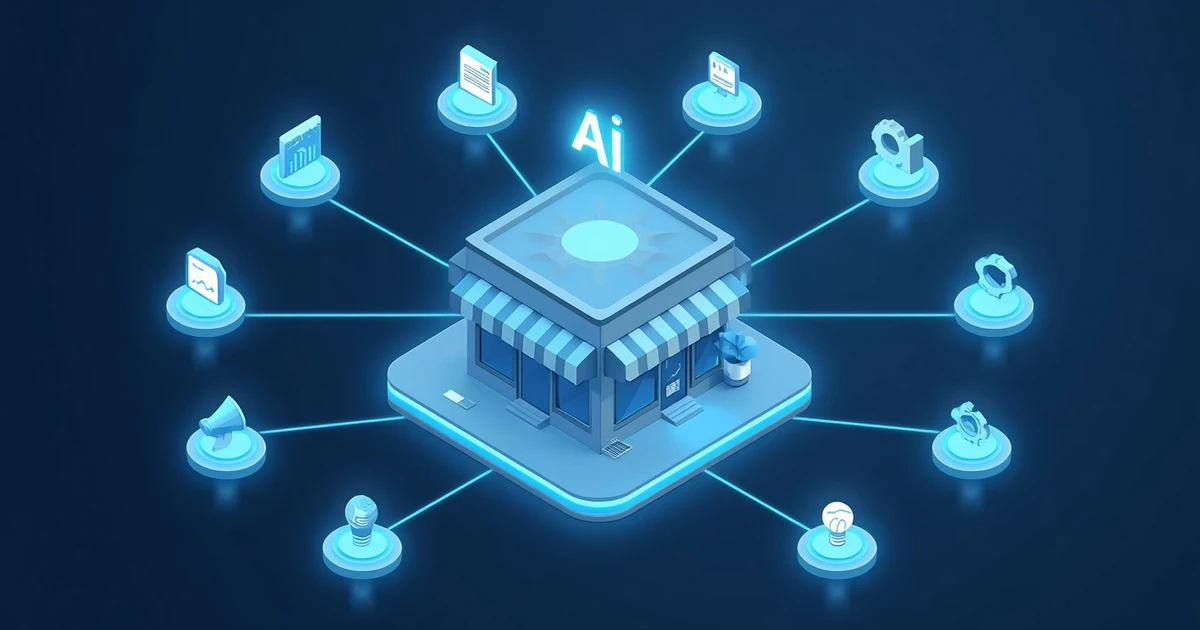
To many small businesses, artificial intelligence still sounds like something for large corporations with their own IT department and a huge budget.
The reality today looks completely different.
Small businesses in particular can benefit enormously from AI. Why? Because a handful of employees there often have to handle many different tasks at once: writing quotes, answering customer inquiries, managing social media, coordinating appointments, editing documents, checking invoices — all while still running the actual business.
That's exactly where artificial intelligence can help. AI doesn't need to replace employees at all. A far more interesting question is: which boring, repetitive, or time-consuming tasks can an AI take over, so people have more time for their actual work?
In this article, I'll show you 10 practical AI applications for small businesses — several of which can be implemented without coding skills and without major investment.
Why AI is especially interesting for small businesses
Large companies have their own marketing departments, IT specialists, copywriters, data analysts, or support teams. A small business often doesn't have that luxury. The owner writes quotes in the morning, answers customer emails afterward, deals with staff in the afternoon, and tries to squeeze out a social media post in the evening.
AI can act here like an additional digital assistant. Typical benefits include:
- less time spent on routine work
- faster handling of customer inquiries
- support for writing and documents
- better use of existing information
- easier automation of business processes
- support for marketing and sales
- faster access to internal knowledge
One thing matters, though: AI shouldn't make decisions blindly. Especially for legal, financial, medical, or business-critical information, a human should still review the result.
1. Write and answer emails with AI
One of the simplest AI applications for small businesses is also one of the most effective: email communication. Tools like ChatGPT or other AI assistants can draft professional emails in seconds.
From a few bullet points like "Customer complains about delivery. Two days late. Apologize. Offer 10 percent discount," an AI can produce a polite, professionally worded reply.
AI can help with customer inquiries, quote requests, complaints, appointment confirmations, payment reminders, internal messages, applicant communication, and supplier inquiries. It becomes especially practical once a business saves recurring communication patterns as templates.
Real-world example: A trade business receives similar inquiries every day, like "When would you have time?" or "What does a consultation cost?" With prepared AI prompts, individual replies can be generated within seconds.
2. Create quotes and business copy
Quotes, service descriptions, and product copy also cost a huge amount of time. An AI can produce a first draft from structured information — for example product descriptions, service descriptions, quote text, project descriptions, company profiles, FAQs, or instruction manuals.
The AI should mainly be understood as an assistant, not an automatic publishing machine. The key advantage: instead of starting from a blank document, an employee already has a draft that can be reviewed and adjusted.
3. Support social media marketing with AI
Many small businesses know they should be using social media. The typical problem is: what should we post today? AI can help exactly there. From a few pieces of information about a product or service, different content can be generated — for Instagram, Facebook, LinkedIn, TikTok, Pinterest, YouTube, newsletters, or ad copy.
An AI can even rewrite the same content for different platforms. A LinkedIn post might be more matter-of-fact, while the same content for Instagram can be shorter and more emotional.
A single blog article could turn into a Facebook post, three Instagram posts, one LinkedIn post, five social media ideas, a newsletter, and a short video script. That saves considerable time on content creation.
4. Improve customer service with AI
Not every customer inquiry needs an employee right away. Many questions repeat constantly: opening hours, return policies, delivery times, payment options, or scheduling. An AI-powered assistant can answer such questions automatically.
This becomes especially interesting once the AI has access to the business's own information — product details, manuals, internal FAQs, opening hours, service information, delivery terms, or technical documentation. That creates a digital assistant that doesn't just give generic answers, but responds based on the company's actual knowledge. It remains important, though, to offer an easy way to reach a human.
5. Summarize and analyze documents
A customer sends an 80-page PDF. A supplier sends new contract terms. An agency publishes an extensive guideline. And somewhere in there are the five pieces of information that actually matter.
Modern AI systems can analyze documents and answer questions like "What deadlines are mentioned in this document?" or "Summarize the key changes for me." Comparisons are possible too, for example between two contract versions.
AI can help evaluate contracts, technical documentation, quotes, reports, meeting minutes, policies, manuals, and tenders. For contracts in particular, though: an AI summary is no substitute for legal review.
6. Summarize meetings
Meetings often produce a lot of information. And afterward someone asks: "Who was actually supposed to handle that?" AI can turn meetings into structured summaries — with decisions, tasks, and deadlines laid out clearly. For small teams in particular, this kind of automatic documentation can be very helpful. Employees have to take fewer notes, and tasks get lost less often.
7. Analyze business data with AI
Artificial intelligence doesn't just write text — it can also help make sense of data. A small business could, for example, have a revenue spreadsheet analyzed: which products sell particularly well? Which months are strongest? Which cost items have risen noticeably? Which customers order most frequently?
Complicated spreadsheets turn into understandable insights this way. That doesn't mean classic business intelligence systems become obsolete. But AI lowers the barrier to entry for businesses that have barely done any data analysis so far.
8. Build an internal knowledge base with AI
This use case is likely to become especially interesting for businesses in the long run. In many companies, important knowledge exists only in the heads of individual employees: "How do we configure this device?", "Where's the template for this customer?", "How does our complaint process work?"
A central knowledge base combined with AI can make such information easier to access. An employee might ask: "How do I set up a new customer in our system?" The AI searches the existing internal documentation and provides a matching guide. This can be especially helpful for onboarding new employees, IT documentation, process descriptions, work instructions, and support knowledge.
Access rights and data protection need to be considered here, of course. Not every employee should automatically get access to all company information.
9. Automate recurring workflows with AI
This is where things get particularly interesting: AI can be connected to automation platforms. A possible workflow could look like this:
Contact form → AI → CRM → Email → TaskA prospect fills out a form on the website. The inquiry then gets analyzed automatically, the AI identifies the request, categorizes it, creates a CRM entry, drafts a suitable reply, and an employee receives a task.
Platforms like n8n make such automations possible in some cases without traditional software development at all. This lets you connect processes across email, CRM, website, databases, calendars, cloud storage, support systems, and AI models. That turns a simple AI chatbot into a real AI agent embedded in a business process.
If this topic interests you, KI-Buster has an in-depth article: Build AI Agents with n8n – No Coding Required (Read article).
To see how ten typical office tasks — from sorting emails to weekly reports — can be automated in practice and which to tackle first, read AI in the Office: 10 Tasks Small Businesses Can Automate Right Away (Read article).
10. Analyze IT problems and technical errors with AI
AI can be useful even for small businesses without a large IT department. Error messages can be analyzed and explained clearly, for example Failed to start nginx.service. An AI can derive possible causes from that and explain what to check next — across Linux, Windows Server, Docker, web servers, databases, network issues, scripts, or log files.
Of course, an AI should never run administrator commands on production systems uncontrolled. But as an analysis and research tool, it can support IT staff significantly. We cover exactly which permissions an AI agent should get for this in What Permissions Should an AI Agent Get? Security Rules for Agents (Read article).
Which AI application benefits a small business the most?
The answer is usually: don't start with the most complicated project. The biggest mistake is trying to build a fully autonomous AI agent for the entire business right away. Start instead with a simple question: which task regularly costs us a lot of time and keeps repeating?
A sensible path in might look like this:
- Text and email
- Document analysis
- Company knowledge
- Automation
- AI agents
That builds experience with the technology step by step.
How much does AI cost for small businesses?
Getting started doesn't have to be expensive. Many AI services can first be tested with modest monthly subscriptions. What really matters is the working hours saved.
A simple example: an employee needs 30 minutes a day for recurring emails. Over roughly 20 working days, that's 10 hours a month. If AI can save even half of that, you've already gained five extra working hours. With several employees, that effect multiplies quickly.
That's why AI projects shouldn't be evaluated only by asking "what does the software cost?" but rather "how much work time does this solution save us?"
Data protection: can I just feed company data into an AI?
No. Businesses should check what data is processed before using any AI service. Especially critical: personal data, customer data, HR information, credentials, confidential contracts, trade secrets, and internal technical information.
Employees should therefore be given clear rules about what information may be entered into public or external AI systems. This is exactly where another problem emerges: shadow AI. Employees sometimes use AI tools on their own, without the business even knowing about it. Read more in Shadow AI at Work: When Employees Secretly Use ChatGPT (Read article).
AI literacy becomes a business skill
An AI system is only as helpful as the person using it. Someone who simply types "write me an ad" will probably get some generic ad copy. Someone who describes the target audience, product, tone, goal, platform, and desired action usually gets a much better result.
Businesses shouldn't just buy AI software — they should build AI literacy inside the company at the same time. Employees need to understand what AI is good at, what it isn't, how to write good instructions, how to check results, what information must never be entered, and when a human has to make the call.
Does every small business need to use AI now?
No. Adopting a technology just because it's currently popular doesn't make sense. AI should solve a concrete problem. If a process already works great without AI, it doesn't necessarily need to change.
The better question isn't "where can we bolt AI on everywhere?" but "where are we wasting time today on tasks an AI could meaningfully support?" That perspective prevents unnecessary AI projects.
10 AI applications for small businesses at a glance
| Application | Benefit | Getting started |
|---|---|---|
| Writing emails | Time savings | very easy |
| Drafting business copy faster | Time savings | very easy |
| Social media | Content creation | easy |
| Customer service | Answering common questions | medium |
| Document analysis | Finding information faster | easy |
| Meeting summaries | Better documentation | easy |
| Data analysis | Better decisions | medium |
| Knowledge base | Making company knowledge available | medium |
| Process automation | Automating routine work | advanced |
| IT analysis | Understanding technical issues faster | medium |
Three AI projects small businesses can start right away
Anyone trying AI for the first time doesn't need a months-long digital strategy. Three simple pilot projects are enough.
Project 1: Email assistant — Create templates for five common customer inquiries and have an AI adapt them to each case going forward.
Project 2: Document assistant — Take an existing manual or internal guide and test whether an AI can answer questions about it.
Project 3: Content assistant — Use an existing product or service to automatically generate ideas for your website, social media, and newsletter.
After a few weeks, you can already judge which application actually delivers value.
Conclusion: AI doesn't have to be complicated
Artificial intelligence offers small businesses enormous opportunities. The biggest value often doesn't come from spectacular robots or fully autonomous AI agents. It comes from perfectly ordinary tasks: writing emails, summarizing documents, finding information, answering customer questions, analyzing data, automating routine work.
That's exactly why small businesses shouldn't treat AI as a massive IT project. Start with a single recurring task. Test how much time it saves. If it works, move on to the next process.
That way, AI becomes, step by step, a real tool in everyday work instead of just an experiment. And the biggest competitive advantage going forward may not lie in owning the most powerful AI — but in knowing how to use it well.
Frequently asked questions about AI for small businesses
Which AI is right for small businesses?
For getting started, general-purpose AI assistants that can write text, analyze documents, structure information, and help with everyday office work are a good fit. Beyond features, privacy, cost, and business-use terms matter too.
Can a small business use ChatGPT?
Yes. ChatGPT can help with emails, writing, research, document analysis, brainstorming, data prep, and many other office tasks. Businesses should still set clear rules for handling confidential and personal data.
Which tasks can be automated with AI?
Recurring digital processes are especially well suited: categorizing inquiries, drafting text, summarizing documents, processing forms, or routing information between different systems.
Do you need coding skills for AI?
Not for many applications. Modern AI assistants can be used directly through a user interface. Automation platforms also enable many workflows with little or no traditional programming.
Is AI expensive for small businesses?
Not necessarily. Many tools can be tested first with modest monthly costs. What matters is whether the time saved outweighs the cost of the tool.
Can AI replace employees?
AI can take over individual routine tasks. In practice, though, it's often most valuable for small businesses as an assistant that removes time-consuming work from employees and makes information available faster.
Related product in my shop
KI ohne Bauchschmerzen
German-language edition. 50 AI prompt templates, 15 practical workflows, and a structured 21-day plan for a controlled AI rollout in a small business — no big IT project, no headaches.
More on KI-Buster
Build AI Agents with n8n – No Coding Required (Read article)
Shadow AI at Work: When Employees Secretly Use ChatGPT (Read article)
What Permissions Should an AI Agent Get? Security Rules for Agents (Read article)
EU AI Act for Small Businesses: What SMEs Need to Know (Read article)
Editorial status: August 2026.