
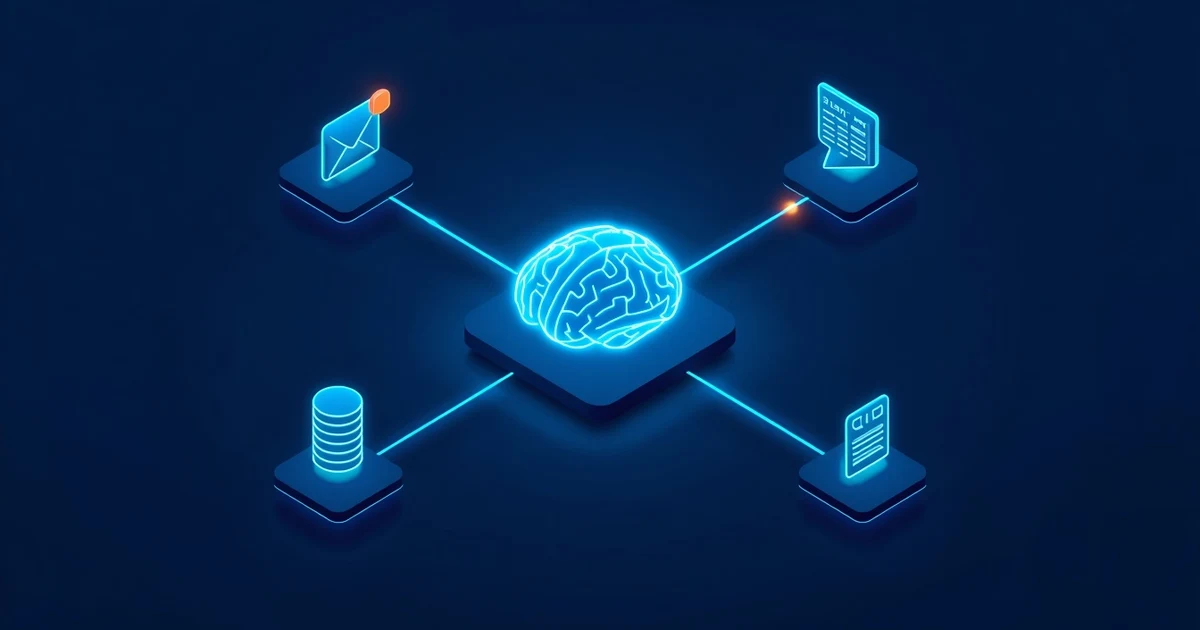
AI agents are one of the most interesting developments in artificial intelligence in 2026. While classic chatbots mostly answer questions, AI agents can make their own decisions, choose tools, and then carry out concrete actions.
Do you need to learn Python, build complex APIs, or develop a custom application for that? No. With n8n, you can build capable AI agents through a visual workflow editor. Many typical automations need no custom code at all.
Such an agent can, for example, analyze emails, check calendars, search databases, retrieve information from documents, categorize customer requests, create content, enter data into spreadsheets, call APIs, start other workflows, use external MCP servers, or, after approval, even carry out actions on its own.
n8n describes its AI Agent node as a component that connects to a chat model and tools, then decides which of those tools to use for a given task. That turns an ordinary AI chatbot into a system that can actually act.
What is n8n?
n8n is a workflow automation platform. Processes are mainly built from so-called nodes. A node can, for example, receive an email, read data from Google Sheets, query a database, make an HTTP request, call an AI model, process text, or send a message.
These nodes are connected to each other in a visual editor. n8n describes nodes as the basic building blocks of its workflows: they can receive data, process it, or pass it on to other systems.
The principle resembles a flowchart: input → processing → decision → action. Integrating large language models turns this into something far more capable.
What is an AI agent?
A classic AI workflow is usually fairly predictable, for example: email arrives → send text to AI → create a summary → save the summary.
An AI agent works differently. You might tell it: "Check this customer request and decide for yourself what information you need. Search the CRM for the customer if necessary, then draft a suitable reply."
Now the workflow no longer has to define every single step in advance. The agent decides for itself, for example: Who is the customer? Does the CRM need to be searched? Do I need information from a knowledge base? Do I need to check a calendar? Which tool do I need? What's a sensible reply?
That's exactly the difference between a simple AI query and an agent. n8n describes agents as AI components that make decisions and interact with tools and other agents.
Why is n8n particularly well suited to AI agents?
The big advantage is combining AI with classic automation. You don't have to hand your entire infrastructure over to an AI. Instead, you can define precisely: what is the AI allowed to decide – and what should remain a strictly defined workflow?
That's especially interesting for business processes. An agent might decide that an invoice needs review. The actual booking can then run through a normal, strictly defined workflow. This lets you combine flexible AI decisions with controllable automation.
What do I need for an n8n AI agent?
A simple agent only needs a handful of components.
1. n8n
You can generally choose between a hosted environment and a self-managed installation. n8n offers both n8n Cloud and self-hosting. If you just want to try it out, a hosted instance is the easiest starting point. If you need maximum control over infrastructure and data, you can self-host n8n instead.
For self-hosting, n8n offers container-based installation paths among others. n8n explicitly notes that self-hosting requires knowledge of servers, containers, security, and maintenance.
2. An AI model
The agent needs a large language model, or LLM. n8n supports integrating different providers and models, including solutions from OpenAI, Anthropic, and Google. The language model is essentially the agent's "brain": it interprets the task and decides which available tools to use.
3. Tools
This is where it gets interesting. Tools are your agent's abilities. Without tools, a language model can mostly just process and generate text. With tools, your agent can, for example, search a calendar, process emails, retrieve data, use databases, call web services, start workflows, search files, or operate other systems.
n8n provides tool nodes for this purpose that connect directly to an AI Agent.
Step by step: build your first AI agent in n8n
Now let's build a simple agent. Our example should first be reachable through a chat and decide on its own when a tool is needed.
Step 1: Create a new workflow
Open n8n and create a new workflow. You'll start with an empty canvas. This is where all the nodes you need will be placed and connected.
Step 2: Add a Chat Trigger
Search for the Chat Trigger node. This node starts your workflow whenever a message is entered, so you can test your agent like a regular chatbot at first. n8n's own introduction to building an AI workflow also uses a trigger together with an AI Agent.
Step 3: Add an AI Agent
Now add the AI Agent node and connect: Chat Trigger → AI Agent. The AI Agent becomes the central decision-making component of our workflow. It's still missing a language model, though.
Step 4: Connect a chat model
The AI Agent now needs a compatible chat model. Which model you use depends on things like which tasks need to be handled, what privacy requirements apply, how much you're willing to spend, how fast you need responses, and how complex the decisions are.
For most providers, you'll need to store the corresponding credentials or API key in n8n. The model is then connected to the AI Agent. The basic setup now looks roughly like this: Chat Trigger → AI Agent → Chat Model.
Your agent can already understand messages and generate replies at this point. But it isn't particularly intelligently automated yet – for that, it needs tools.
Step 5: Give the AI agent tools
Think of your agent as an employee. The language model is its brain. The tools are its hands. You could, for example, give it access to a calendar, email, a CRM, a database, Google Sheets, web services, other n8n workflows, company data, search systems, or MCP servers.
The real power comes from the agent being able to decide, based on your request, which tool it actually needs.
Example: an AI agent with customer data
Say a user asks: "Does customer Miller still have an open support case?" The agent might have access to a CRM tool. Simplified, this happens: user question → AI Agent analyzes the question → agent recognizes that customer data is needed → CRM tool is called → data comes back → AI Agent formulates a reply.
This pattern can be applied to countless areas.
Step 6: Write a good system prompt
A good AI agent needs clear rules. The system prompt might read something like this:
You are an assistant for customer requests. Only use the available tools when they're required to answer the request. Never change or delete data without the user's explicit approval. If information is missing, ask. Never invent customer data.
The more precisely you define tasks and boundaries, the more controllable your agent becomes. Rules covering permitted actions, forbidden actions, privacy, external systems, data changes, deleting information, sending email, and financial actions are especially important.
Step 7: Add memory
You might want your agent to remember previous messages within a conversation. That's what memory is for. n8n provides components for managing chat memory that can load, store, and remove messages again.
Without memory, a dialogue might look like this: "Find customer Miller." – "I found three customers with that last name." – "Use the second one." Without conversational context, the system may not reliably know what "the second one" refers to. With memory, the previous conversation can be taken into account.
Step 8: Use human-in-the-loop
Not every decision should be fully automated. That's especially true for emails to customers, orders, cancellations, data deletions, contracts, invoices, payments, and changes to important business data.
This is where human-in-the-loop comes in. n8n supports human approvals for tools: the workflow can pause and request approval before a corresponding action is carried out. For example: AI drafts an email → a human sees a preview → approve / reject → only then is the email sent.
That's often far more sensible than immediately giving an AI agent full control.
A practical n8n AI agent for everyday office work
A particularly interesting scenario is a personal office assistant. The agent gets the following tools: read calendar, search emails, retrieve customer data, save notes, and draft emails.
You could then write:
Check whether I have an appointment with Example Ltd. next week. Then look up that customer's most recent emails and prepare a short summary for me.
The agent now has to make several decisions: first search the calendar, then possibly look up contact details, then search emails, and finally summarize the results. That's far more capable than an ordinary if-then automation.
Which office tasks make good starting points, and which you'd better not automate completely, is covered in AI in the Office: 10 Tasks Small Businesses Can Automate Right Away (Read article).
Connecting AI agents to other agents
n8n also gets interesting with larger agent systems. A central agent can hand off tasks to specialized agents. n8n has an AI Agent Tool node for this, which lets a higher-level agent use other agents as tools. For example:
- Main agent – understands the user's request and distributes tasks.
- Email agent – searches and analyzes messages.
- Calendar agent – manages appointments.
- Research agent – gathers information.
- Support agent – handles customer requests.
This means the main agent doesn't need to know every individual tool itself. This concept is often called a multi-agent system.
n8n and MCP: especially interesting for AI agents
Anyone who digs deeper into AI agents will sooner or later run into the Model Context Protocol – MCP. MCP standardizes how AI applications can use tools and external systems. And n8n now supports this concept directly.
The MCP Client Tool node can use tools provided by an external MCP server. Conversely, n8n can use the MCP Server Trigger to expose its own functions and workflows to MCP-compatible applications. This opens up some genuinely interesting possibilities: an agent could, for example, access an internal MCP server that exposes company systems in a controlled way.
If you want to understand how MCP works in general, also read Model Context Protocol (MCP) Explained (Read article).
Matching product · German-language edition
MCP Server Practical Guide 2026
The German guide covers MCP servers, least privilege, OAuth/OIDC, privacy, and operations – useful if your n8n agent should reach your own systems through MCP.
Can I really use n8n without coding?
For many tasks: yes. Typical workflows can be built entirely from nodes, for example: Trigger → AI Agent → Chat Model → Tool, or: Email → AI Agent → Classification → Database → Notification.
For more complex requirements, n8n also lets you bring in code, APIs, and custom logic. That's why "low-code/no-code" is often a more accurate label than "no-code" alone. The big advantage: you don't need to know how to code to get started with n8n. If your requirements grow more complex later, you still have the option to go deeper.
Combining n8n with local AI
Not every AI request has to go through an external cloud provider. Businesses in particular are increasingly looking at locally run language models. One possible tool for that is Ollama, which lets you run suitable AI models on your own hardware.
That can be worthwhile when data should stay internal as much as possible, you already have your own servers, you're processing a lot of requests, you want to reduce cloud dependencies, or you want to experiment with different open-source models.
Learn more in Install Ollama on Linux: Run AI Locally (Read article).
10 ideas for n8n AI agents
The use cases go far beyond simple chatbots.
- Email assistant – analyzes incoming emails, prioritizes them, and drafts replies.
- Support agent – searches knowledge bases and prepares answers to customer questions.
- Scheduling assistant – checks calendars, finds open slots, and prepares bookings.
- Document agent – analyzes PDFs, documents, or internal knowledge sources.
- Research agent – gathers information from various sources and creates summaries.
- Marketing agent – creates ideas, social media posts, or content briefs.
- Sales agent – analyzes leads and enriches them with information from connected systems.
- Monitoring agent – analyzes alerts, logs, or notifications and assesses their priority.
- Personal AI assistant – connects calendar, tasks, notes, and other personal services.
- Multi-agent system – several specialized agents handle different tasks and work together.
Security: AI agents need clear boundaries
The more powerful an agent becomes, the more important it is to secure it properly. An agent that only reads information has a relatively limited potential for harm. An agent that can send emails, delete data, modify user accounts, manage servers, trigger orders, or control external systems needs much stricter controls.
A good ground rule: only give an AI agent the permissions it actually needs.
Watch out for prompt injection
A particularly relevant security issue with AI agents is prompt injection, where external content tries to override or manipulate the agent's original instructions. This can be hidden in web pages, documents, emails, tickets, or other content the agent reads.
An agent with far-reaching tools could, in the worst case, be tricked into unwanted actions this way. That's why sensitive actions should also be secured with permissions, validation, clearly defined rules, and human approval.
Learn more in Prompt Injection Explained: How Attackers Hijack AI Agents (Read article).
Matching product · German-language edition
AI Without the Headache
A German practical guide for small businesses implementing privacy, approvals, and safer AI use – also relevant when deploying AI agents.
Common mistakes when building an n8n AI agent
Too many tools
An agent shouldn't get access to every available system right away. Start with a small number of tools instead.
Unclear tool descriptions
The agent needs to understand what a tool is for. Clear names and descriptions help it choose correctly.
Too generic a system prompt
"Be a helpful assistant" is rarely enough for serious automation. Define tasks and boundaries.
No error handling
External APIs can fail, data can be missing, responses can be invalid. AI agents need error paths too.
No human oversight
Especially for actions that write, delete, or involve money, not every AI decision should run automatically.
Getting too complex too soon
Don't start with ten agents and thirty tools right away. A workflow like Chat Trigger → AI Agent → Model → two tools is plenty to learn the principle.
What does an AI agent built with n8n cost?
Total costs depend on several components: your n8n operating model, the AI provider you use, the number of model requests, any external services involved, server costs, and the scope of the automation.
If you self-host n8n, you can generally use the Community Edition for free. n8n describes the self-hosted Community Edition as a permanently usable base version. Additional costs can still arise from AI APIs or external services. With self-hosting, server operation, maintenance, backups, and security also come on top.
n8n Cloud or self-hosted?
For beginners, a hosted solution is often the fastest way to get started. You don't have to worry about the operating system, database, updates, reverse proxy, TLS certificates, containers, or backups.
Self-hosting becomes interesting when you want full control over your environment, already have your own infrastructure, need special integrations, or want to control data flows as precisely as possible. n8n officially offers both operating models.
An AI agent is more than ChatGPT with automation
The key difference lies in access to tools. An ordinary chat answers a question. An agent, on the other hand, can: understand the question → look up information → make a decision → use a tool → check the result → choose the next action.
That's exactly why agent systems are likely to become especially interesting for businesses in the coming years. Many digital workflows that are still done manually today follow this exact same pattern: take in information → make a decision → carry out an action.
To see how capable modern AI agents already are outside of n8n, read ChatGPT Agent 2026: What Can the AI Agent Really Do? (Read article).
FAQ: common questions about n8n AI agents
What is an n8n AI Agent?
An n8n AI Agent is an AI component inside a workflow that uses a language model and can access the tools you provide. Depending on the request, the agent can decide which tools it needs.
Do I need to know how to code to use n8n?
No. Many workflows and AI agents can be built entirely through the visual workflow editor. For more complex edge cases, additional API, JavaScript, or infrastructure knowledge can be helpful.
Can n8n use ChatGPT or OpenAI?
n8n supports integrating various LLM providers and their chat models, including OpenAI.
Can n8n AI agents actually perform actions?
Yes. Once suitable tools are provided, an agent can use external systems and trigger real actions within a workflow.
Can an agent use several tools?
Yes. An AI Agent can be connected to multiple tools and decide, depending on the task, which one to use.
Can several AI agents work together?
Yes. Among other things, n8n supports using other AI Agents as tools of a higher-level agent.
Does n8n support MCP?
Yes. n8n offers MCP client and MCP server functionality. For example, an AI Agent can use tools from an external MCP server through the MCP Client Tool node.
Can I self-host n8n?
Yes. Alongside n8n Cloud there is a self-hosted option with a permanently free Community Edition. n8n notes that self-hosting requires the corresponding technical knowledge.
Conclusion: your own AI agents are no longer a pure developer project
Just a few years ago, a system that understands natural language, independently uses different applications, and then carries out actions would have meant a substantial software project. Platforms like n8n have significantly lowered that barrier to entry.
Today you can build a workflow visually, connect a language model, define tools, and turn that into your own AI agent. Getting started can really be as simple as: Chat Trigger → AI Agent → Chat Model → Tool.
From there, you can extend the system step by step: with memory, with databases, with email, with a calendar, with approvals, with APIs, with more agents – and now even with MCP.
That makes n8n useful for more than just developers. Freelancers, administrators, small businesses, and technically curious individuals can all build their own AI automations without first having to code a complete application.
The most important principle still applies, though: automate simple, controllable tasks first – and only extend your AI agent's permissions once you know exactly what it can do with them.
And if you want to not just understand MCP but actually put it to practical use, the MCP Server Practical Guide 2026 covers building, installing, and securely operating your own MCP servers in detail.
Sources and currency
Article date and fact-check: August 18, 2026. This guide draws on the official n8n documentation for the AI Agent node, the AI Agent Tool node for multi-agent systems, the MCP Client Tool node, the MCP Server Trigger node, human-in-the-loop for AI tool calls, and the Choose how to use n8n page on cloud, self-hosting, and the Community Edition. Product interfaces, features, and pricing can change.
10 Practical AI Applications for Small Businesses (Read article)
n8n + MCP: Connect AI Agents to Your Own Tools and Data (Read article)