
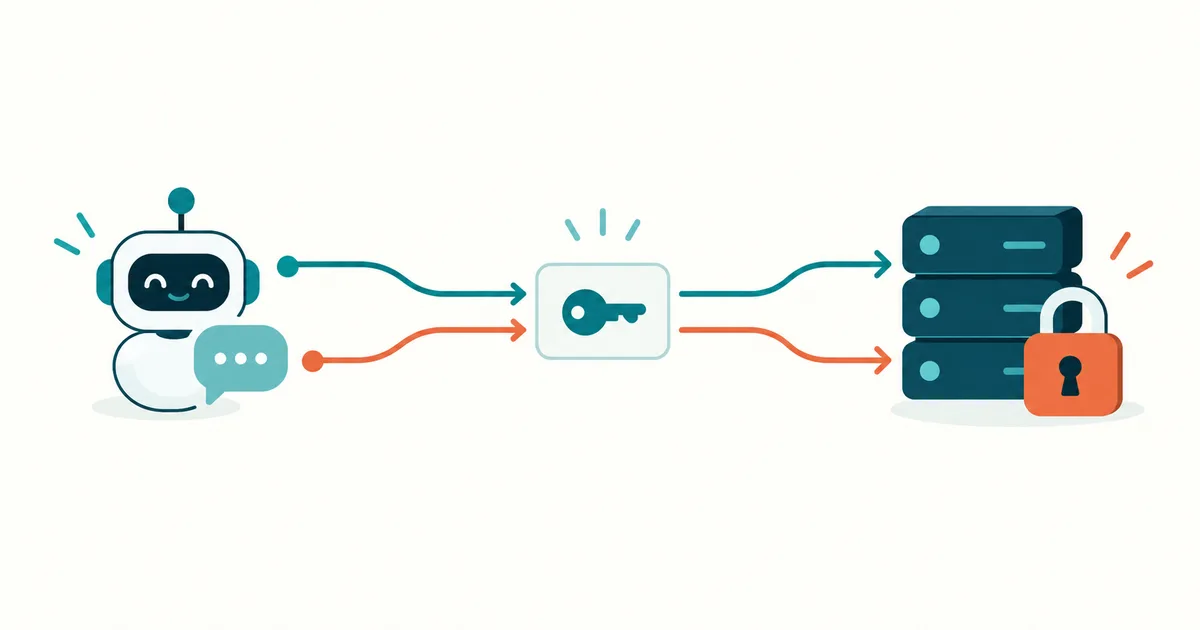
An AI assistant is supposed to summarize open support tickets. To do that, it needs access to the ticketing system. But should it only read? Send replies too? Or even delete tickets?
This is exactly where it's decided whether a practical AI integration stays controllable. A working connection alone doesn't answer these questions.
MCP authentication and authorization work together so that an MCP server can check requests and limit access. For protected HTTP connections, OAuth and access tokens play a central role. Whether a specific action is actually allowed still has to be decided by the server based on its own permission rules.
In this article you'll learn how the pieces fit together, why a token shouldn't be a master key, and how to systematically narrow down typical access errors.
What does MCP authentication actually mean?
The Model Context Protocol, or MCP, connects AI applications to tools and data sources. The AI application contains an MCP client; an MCP server provides something like a ticket search or a document lookup. The basics are covered in our article Model Context Protocol (MCP) Explained Simply (Read article)
Two terms need to be told apart here:
| Term | The key question | Example |
|---|---|---|
| Authentication | Who is signing in? | An employee proves her identity at the company login. |
| Authorization | What is she allowed to do? | The client may read tickets from the support area on her behalf. |
OAuth is primarily a protocol for delegated authorization. It lets an application get limited access without ever being handed the user's password. OpenID Connect adds a standardized identity layer for sign-in on top of OAuth. An OIDC ID token and an API access token therefore serve different purposes: the ID token is not a general substitute for the access token used at the MCP server.
Source: OpenID Connect Core
An office analogy helps here: signing in confirms your identity. The access card opens certain doors. Behind a given door, further rules can still apply — say, for individual filing cabinets.
Local MCP and HTTP: Why the connection type matters
The MCP authorization specification describes HTTP-based connections. It leaves authorization optional in principle; but as soon as confidential information or administrative functions become reachable, the application needs a suitable access concept.
With STDIO, a client starts a local MCP process and communicates over its standard input and output. This connection isn't covered by the same HTTP OAuth flow. Credentials can come from the process environment instead. With an HTTP connection, the client reaches the server through an endpoint; here the standardized OAuth flow is what matters. What counts is the transport, not merely where the machine happens to sit.
Source: MCP Authorization
A local process may itself need OAuth for an external service. And "local" doesn't automatically mean "safe": which files can the process read? What operating-system privileges does it hold? What credentials is it handed?
Practical recommendation: start a local MCP server with exactly the file access and credentials its task requires. A document-search tool normally needs neither your entire private folder nor administrative rights.
If you want to build your own integration, you'll find a starting point in Build Your Own MCP Server: Architecture and an Example (Read article)
OAuth, Access Token, Refresh Token: What's What?
These terms belong together but aren't interchangeable:
| Term | Role | What to watch for |
|---|---|---|
| OAuth | Governs how limited access rights are granted | Check supported flows and client compatibility |
| Access token | Used to access a protected resource | Check validity, intended audience, and permissions |
| Bearer token | A token whose mere possession is generally enough to use it | Protect it from exposure |
| Refresh token | Lets the client get new access tokens from the authorization server | Store it with extra protection; never send it to the MCP endpoint |
| Scope | Names a granted slice of permissions | Keep it as small and understandable as possible |
| API key | A provider-specific access credential | Isn't automatically a full OAuth integration |
| Client ID | Identifies an OAuth application | Is not, by itself, a secret password |
An access token is transmitted in the usual bearer scheme via the HTTP header:
Authorization: Bearer <ACCESS_TOKEN>This is a schematic example with a placeholder value. Because a stolen bearer token can be misused, HTTPS, secure storage, and sparing logging are essential. Tokens don't belong in URLs, screenshots, or support tickets.
Source: RFC 6750
Refresh tokens are no guarantee of unlimited access. Their issuance and validity depend on the authorization server. Rotation can replace a used refresh token with a new one and helps detect reuse of a stolen token.
Source: OAuth Security Best Current Practice
How an OAuth Access Flow to an MCP Server Plays Out
Imagine an employee connecting her AI assistant to a protected document server. Simplified, this is what happens:
- Start the request: the MCP client tries to reach the protected endpoint.
- Find the login details: a 401 response can point to metadata that lets the client find the responsible authorization server.
- Match a client: the application uses a matching client registration.
- Sign in and grant rights: the employee signs in with the intended provider in her browser and confirms the requested permissions, where consent is required.
- Exchange the code for a token: the client receives a short-lived authorization code and exchanges it, using PKCE, for an access token.
- Access the protected resource: the client sends the token to the MCP server, which checks it before releasing any data.
The sign-in happens at the identity provider. The password has no business being pasted into the AI chat as a message.
Source: MCP Authorization Tutorial
What is discovery?
Discovery means the client determines the endpoints it needs through standardized metadata. The MCP server can provide a document describing its protected resource for this purpose.
A simplified example for a custom-built ticket integration:
HTTP/1.1 401 Unauthorized
WWW-Authenticate: Bearer resource_metadata="https://mcp.example.com/.well-known/oauth-protected-resource", scope="tickets:read"
The referenced document might look like this:
{
  "resource": "https://mcp.example.com/mcp",
  "authorization_servers": ["https://login.example.com"],
  "scopes_supported": ["tickets:read"]
}
The domains are examples. tickets:read is also a freely chosen example scope, not a universal MCP standard. Metadata describes where and how authorization is possible; it does not grant any permission by itself.
Source: RFC 9728
Why does OAuth need PKCE?
PKCE binds the authorization code to the client that started the sign-in. The client generates a secret random value and first sends a value derived from it. When it later redeems the code for a token, it has to present the original value.
An intercepted code alone shouldn't be enough to get a token. PKCE protects this exchange; it doesn't automatically make an access token stolen afterward unusable.
Source: RFC 7636
Version note: the MCP specification researched here, version 2026-07-28, lists Client ID Metadata Documents, pre-registration, and Dynamic Client Registration. DCR is marked there as deprecated and kept only for backward compatibility. Older tutorials may emphasize different things. Check which MCP version your client and server actually support.
Source: MCP Authorization
Why a Valid Token Still Isn't Enough
A token can be technically genuine and still be the wrong fit for the requested resource. Two checks matter in particular.
1. Is the token meant for this server?
The intended recipient is usually called the audience. Through a resource parameter, the client can state during authorization which resource it's requesting access to. A token for the ticketing system shouldn't simply also work against the HR portal.
Resource indicators help express these boundaries technically. The receiving side still has to actually check the audience binding. A token isn't valid for every service just because it came from a known identity provider.
Source: RFC 8707
2. Are the token and its permissions checked correctly?
For a JWT, decoding the contents isn't enough. The application also has to check the cryptographic signature, allowed algorithms, the expected issuer, and the audience binding. A readable token isn't yet a trustworthy token.
Source: RFC 8725
Not every access token is a JWT. For an opaque token, a resource server can use a protected introspection endpoint at the authorization server. Its response can, for example, report the token's active status and scopes. Those results also have to feed into the local access decision.
Source: RFC 7662
For implementations: use established OAuth libraries and appropriate SDK functions. Hand-rolled token validation tends to end up incomplete.
Practical Example: Summarizing Tickets Without Allowing Changes
A small company wants a morning overview of open support cases. For this article, we sketch out the following permission matrix for that:
| Action | Allowed? | Technical limit in the example |
|---|---|---|
| Search open tickets | Yes | Read-only scope and an allowed support queue |
| Load ticket details | Yes | Tenant and ticket-permission check |
| Write comments | No | No write scope; the server refuses the action |
| Delete tickets | No | No delete permission and no matching agent tool |
| Display credentials | No | Secrets are never part of tool output |
The example scope tickets:read alone doesn't capture the whole access control picture. The server also has to check which tickets the calling identity is allowed to see. Otherwise, a modified ticket ID could expose another team's or tenant's data.
My recommendation for acceptance testing: alongside one allowed query, deliberately test three rejections — someone else's ticket, a write attempt, and access with an expired token. Only once these boundaries hold up is the read function meaningfully secured.
For more on designing roles like this, see Role-Based Access Control for AI Agents (Read article)
Matching product in my shop
MCP Server Praxisleitfaden 2026 (German-language edition)
Covers installing and securely running local and remote MCP servers — including least privilege, API tokens, OAuth/OIDC, and logging. Also relevant for Docker, Kubernetes, and Proxmox environments where AI agents need controlled access to infrastructure.
The Dangerous Mistake: Passing Tokens Straight Through
An MCP server can act as an intermediary to further APIs. That makes it tempting to simply forward the token received from the client, unchanged, to the downstream API.
This token passthrough is explicitly forbidden in the MCP authorization model. It blurs trust boundaries and can cause tokens to be used in places they were never issued for. It also makes it unreliable to attribute actions and enforce security checks.
Source: MCP Security Best Practices
The clean separation looks like this:
| Connection | Intended credential |
|---|---|
| MCP client to MCP server | Access token for the MCP server |
| MCP server to external API | A separate credential issued specifically for that API |
That second credential has to match the authorized user or the intended technical identity. A blanket administrator account would otherwise undo all the carefully scoped user permissions from earlier in the chain.
Seven Rules for Controlled MCP Access
The following points are a practical operational checklist, not a complete compliance audit.
- Scope permissions to the task. Decide exactly which data and actions an integration needs. Start with read access for analysis tasks.
- Keep credentials out of the model context. Store tokens in a dedicated credential store. They don't belong in prompts, tool descriptions, or ordinary result data.
- Plan token lifetimes and rotation. The MCP security guidance recommends short-lived access tokens and requires refresh-token rotation for public clients.
- Configure HTTPS and redirects correctly. Public login endpoints need HTTPS. Register callback addresses precisely and use the security checks built into your OAuth library.
- Test access revocation. Check what actually happens after you remove a grant. A locally validated access token can stay effective until it expires unless you add further countermeasures.
- Log meaningfully but sparingly. Capture identity, action, target, result, and time. Full tokens don't belong in the audit log.
- Control risky actions separately. Define appropriate approvals and server-side limits for sending, deleting, or changing production systems.
The technical grounding for token storage, refresh rotation, and redirect protection is in the MCP security guidance. For revocation and how to implement it, see RFC 7009. For handling credentials more broadly, see Protecting Secrets and API Keys in AI Agents (Read article)
OAuth doesn't judge whether an action an AI proposes actually makes business sense. A manipulated document instruction can still try to steer an agent toward an unwanted action. Permission boundaries need to hold even when the agent itself misbehaves.
401 or 403? How to Narrow Down Authentication Errors
Signing in again doesn't fix every access error. This order helps with diagnosis:
| Observation | Possible cause | Useful next check |
|---|---|---|
| 401 Unauthorized | Token missing, expired, or invalid | Inspect the header, expiry, and token validation |
| 403 Forbidden | Permissions or scopes aren't sufficient | Check the required permission and object-level access |
| Browser login succeeds, MCP access still fails | Token is valid for a different resource | Compare resource/audience and issuer |
| Repeated sign-in prompts | Refresh fails or tokens aren't being stored | Check client-side storage and refresh configuration |
| Redirect error | Callback doesn't match the registered address | Compare scheme, host, port, and path |
| Only works without a reverse proxy | Headers, metadata, or external URLs arrive altered | Check forwarding and publicly visible endpoints |
The meaning of invalid_token and insufficient_scope is described in RFC 6750. The remaining rows are diagnostic hypotheses you need to verify against your own installation.
Admin tip: a browser login screen appearing beforehand is not, by itself, proof of an MCP-compatible OAuth integration. Also check whether the client actually supports the installation's discovery, token retrieval, and permission requests. Don't disable token validation just to make a 401 go away.
How Does MCP Access Work Without a Signed-In Human?
A nightly monitoring job usually needs a technical identity. There's an optional MCP extension for OAuth client credentials for exactly this. The client acts on its own behalf within previously granted rights; an interactive user login isn't the point of this flow.
This isn't automatically available for every MCP integration. All the components involved need to support the extension. It's also worth separating, conceptually, "automation acting for a user" from "a service acting with its own rights."
Source: MCP OAuth Client Credentials
For our ticket report, a dedicated read-only service account would be one possible architecture choice. Whether that fits depends on whether the report needs to respect individual user permissions or is evaluating a clearly defined team-wide view instead.
Frequently Asked Questions About MCP Authentication
Does every MCP server have to use OAuth?
No. Transport, data, and use case decide that. The standardized MCP authorization flow targets HTTP-based connections. For confidential data you need effective access controls regardless of transport.
Is an API key the same as OAuth?
No. An API key is an access credential. OAuth describes a flow for granting limited access rights. An application accepting a key says nothing yet about its MCP OAuth compatibility.
Does logging in with MFA prevent all token misuse?
No. MFA strengthens the login step. A bearer token stolen afterward can still be used. Protect the storage, transmission, and lifetime of tokens as well.
Can I paste a token into a chat for troubleshooting?
Don't use real tokens for that. Share error messages and sanitized configuration details instead. Even decoded token contents can contain personal or internal information.
How do I get started with my own integration?
Start by defining one small, read-only task and its data access. Then choose a compatible authentication path and test both allowed and denied actions. That makes it far easier to narrow down a fault than starting with full access.
Your Next Step: Put One Connection to the Test
Take an MCP integration you already use or are planning to set up. Note which identity it uses, what data it can reach, and how you'd revoke that access again. Then test one action that's explicitly supposed to be forbidden.
That turns "the connection works" into a verifiable statement about what it's actually allowed to do.
Want to go deeper on MCP security overall? Secure MCP Servers: Permissions, Tools & Risks (Read article) rounds up the key safeguards. More guides on MCP, AI agents, and system administration are in the KI-Buster Blog (Read article)
Further Reading and Sources
Model Context Protocol (MCP) Explained Simply (Read article)
Build Your Own MCP Server: Architecture and an Example (Read article)
Role-Based Access Control for AI Agents (Read article)
Protecting Secrets and API Keys in AI Agents (Read article)
Secure MCP Servers: Permissions, Tools & Risks (Read article)
Official documentation, last checked on September 30, 2026: MCP: Authorization specification, MCP: Authorization tutorial, MCP: Security best practices, MCP: OAuth Client Credentials extension, OpenID Connect Core 1.0, RFC 6750 – Bearer Token Usage, RFC 7636 – PKCE, RFC 7662 – Token Introspection, RFC 7009 – Token Revocation, RFC 8707 – Resource Indicators, RFC 8725 – JWT Best Current Practices, RFC 9728 – Protected Resource Metadata, RFC 9700 – OAuth 2.0 Security Best Current Practice.
Fact check: September 30, 2026. The technical details were verified directly against the MCP authorization specification and its accompanying security best practices documentation, version 2026-07-28, as well as the cited IETF RFCs. OAuth 2.1 is still an IETF draft at this point, not a finalized RFC; the MCP specification references the current draft accordingly. The practical example is a designed scenario for illustration, not a completed production test.