
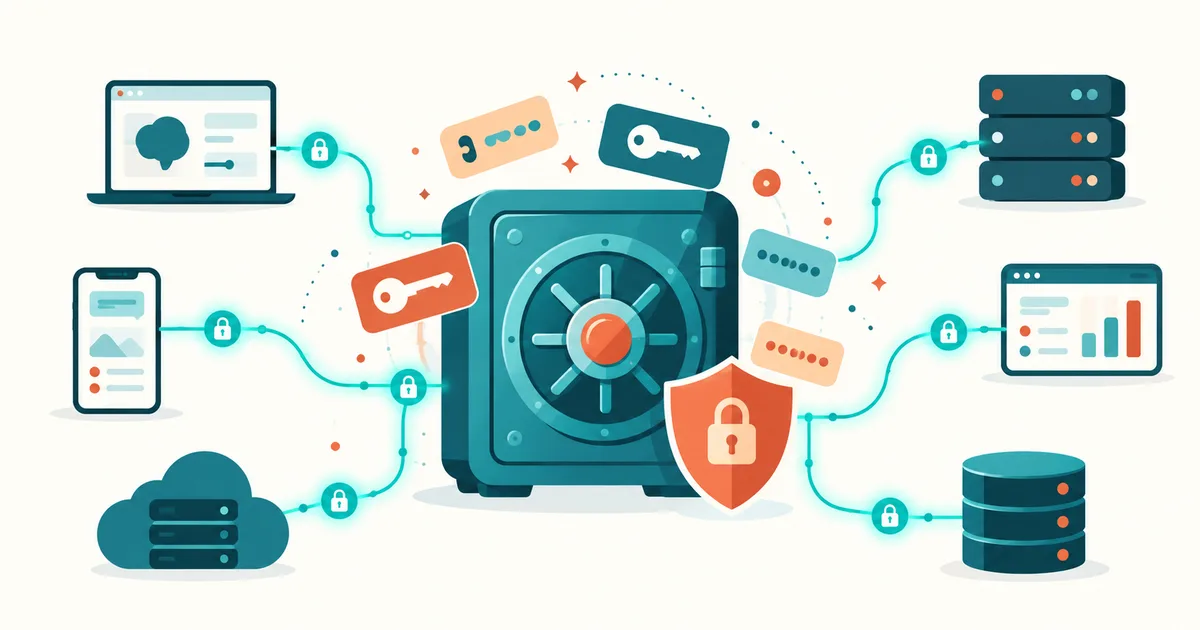
A single accidentally published API key can be enough to compromise an entire AI application. Attackers can trigger paid API requests, access reachable data, or abuse automated services. It becomes especially dangerous when AI agents not only generate text but also operate databases, cloud services, email, and internal systems.
The good news: you don't need to be a security expert to significantly reduce many of these risks.
This practical guide shows how to securely manage API keys, access tokens, and other secrets in AI applications, which common mistakes to avoid, and how to implement protection with .env, Docker Secrets, and professional secret managers. While this article covers the fundamentals for AI applications in general – from frontend through backend to containers – Protecting Secrets and API Keys in AI Agents: .env, Vault, and Permissions (Read article) goes specifically into the particulars of autonomously acting AI agents and MCP servers.
1. What are API keys and secrets, exactly?
An API key is a digital access credential that an application uses to prove its authorization to a service. For AI applications, that typically means OpenAI, Anthropic, Google Gemini, or self-hosted AI services.
A secret, more generally, is confidential information that must not be publicly accessible.
Typical examples include:
- API keys for AI models and external services
- database passwords and connection strings
- OAuth client secrets and access tokens
- SSH private keys
- cloud credentials
- webhook signatures and cryptographic keys
Not every secret works the same way. An API key often identifies an application or a project, while an OAuth token can carry specific access rights and a limited lifetime.
Important: an API key isn't automatically a personal user account. It can still carry far-reaching permissions, though.
2. Why AI applications are especially at risk
Classic web applications usually need a manageable number of credentials. Modern AI systems, by contrast, can connect numerous external tools at once.
Example: an AI agent connects simultaneously to a language model, a database, an email service, and an internal MCP server – each of these integrations needs its own permission and security strategy:
AI agent
 ├── Language model API (OpenAI/Anthropic)
 ├── Database (read/write)
 ├── Email service (sending)
 └── MCP server (internal tools)
A compromised agent could, depending on its permissions, trigger paid model calls, retrieve data, or launch actions in connected services.
Three situations are especially critical:
- Overly broad permissions: an agent has write and delete rights even though it is only supposed to read data.
- Uncontrolled tool calls: an AI model processes manipulated content and gets tricked into unwanted actions – see MCP Prompt Injection: Why External Data Can Turn Dangerous (Read article) for more on this.
- Insufficiently protected credentials: secrets sit directly in source code, in logs, or in freely accessible configuration files.
A secure API key alone does not prevent prompt injection. Both risks need to be addressed separately.
3. The seven most common security mistakes
| Mistake | Possible consequence |
|---|---|
| API key directly in source code | Exposure via Git or code sharing |
| .env accidentally published | Unauthorized access to services |
| API key in browser JavaScript | Any visitor can read it out |
| All services share the same key | Major damage if compromised |
| No cost or usage limits | Unexpected API costs |
| Secrets in debug logs | Long-term exposure |
| No key rotation | Compromised keys stay usable |
A particularly common misconception is: "My GitHub repository is private, so my API keys are safe."
That is not a sufficient safeguard. Even private repositories can be affected by misconfigured permissions, compromised accounts, or accidental publication.
4. Protecting API keys with .env files
For smaller projects, environment variables are often a sensible starting point.
Instead of hard-coding credentials directly into your Python code, you store them in a separate file.
Example .env file:
OPENAI_API_KEY=your_secret_api_key
DATABASE_HOST=localhost
DATABASE_USER=ai_app
DATABASE_PASSWORD=your_db_password
This file must never end up in your Git repository.
So add this to your .gitignore:
.env
.env.*
!.env.example
A .env.example contains only the required variable names and harmless placeholders.
Python example:
import os
from dotenv import load_dotenv
from openai import OpenAI

load_dotenv()

api_key = os.getenv("OPENAI_API_KEY")

if not api_key:
    raise RuntimeError("OPENAI_API_KEY is missing")

client = OpenAI(api_key=api_key)
Installation:
pip install openai python-dotenvThat takes the key out of your source code directly.
However, that does not mean .env files are automatically safe. They are plaintext files and need appropriate file permissions, access controls, and a secure backup strategy.
On Linux, you can restrict access like this, for example:
chmod 600 .envFor production systems with multiple services or users, a dedicated secret manager is the better long-term choice.
5. Why API keys never belong in the frontend
A common mistake is using AI API keys directly inside React, Vue, or other browser applications.
Example of an insecure architecture:
// Unsafe: never use this in the browser
const API_KEY = "YOUR_SECRET_KEY";
Even if the code gets minified or the key is wired in through a frontend build variable, it fundamentally remains accessible to users.
The better solution is a server-side architecture, where the browser only talks to your backend and only the backend accesses the API key:
Browser → Backend proxy → AI provider API
            │
            └── Authentication, rate limits,
                input validation, cost controls
In addition, the backend should enforce authentication, authorization, rate limits, input validation, and cost controls. A backend proxy without such safeguards can also be abused.
6. Docker Secrets instead of plaintext configuration
Many AI applications today run inside Docker containers.
It becomes a problem when credentials sit directly in a compose.yaml:
environment:
  OPENAI_API_KEY: "secret-key"
A safer alternative for Docker Swarm is Docker Secrets.
First you create the secret from a protected file:
docker secret create openai_api_key \
  /secure/path/openai_api_key.txt
Then you wire it into a Swarm service:
services:
  ai-backend:
    image: my-ai-app:latest
    secrets:
      - openai_api_key

secrets:
  openai_api_key:
    external: true
Inside the container, the secret is available by default as a file:
/run/secrets/openai_api_keyPython can load its content like this:
from pathlib import Path
from openai import OpenAI

key = Path("/run/secrets/openai_api_key").read_text().strip()

client = OpenAI(api_key=key)
Important: this example applies to Docker Swarm. Docker Compose without Swarm also supports file-based secrets, but it uses a different delivery mechanism and doesn't automatically provide the same security properties as Swarm Secrets.
Docker Secrets also don't protect against an attacker who already has sufficient rights inside the authorized container.
Matching product · German-language edition
Cyberangriffe mit KI abwehren
A 576-page cybersecurity premium bundle with a strategic main book, a technical admin add-on, a detection add-on, and cheat sheets to technically detect and systematically defend against modern attacks. German-language guide.
7. Professional secrets management with Vault
Once multiple AI applications, teams, and production environments are involved, centralized management becomes attractive.
A well-known tool here is HashiCorp Vault.
Vault supports, among other things:
- centralized storage and controlled delivery of secrets
- access policies and authentication for applications
- audit logging
- dynamic credentials for supported systems
- managing and rotating secrets through suitable integrations
An example of storing a secret via the Vault CLI:
vault kv put secret/ai-app \
  openai_api_key="YOUR_API_KEY"
This command is only for illustration. In production environments, you should not pass secrets as plaintext directly in shell commands, since they can end up in shell history or process information, for example. Use secure input and delivery methods instead.
Vault can automate issuing and renewing certain dynamic credentials. Rotating external AI API keys, however, requires corresponding support from the provider or your own integration.
For smaller projects, cloud-native secret managers such as AWS Secrets Manager, Azure Key Vault, or Google Cloud Secret Manager can also be a good fit.
8. Least privilege: every AI agent gets only the permissions it needs
The least-privilege principle means: every application gets only the permissions it actually needs.
An AI agent that summarizes support tickets normally does not need full write access to the entire customer database.
| AI application | Sensible permission |
|---|---|
| Chatbot with document search | Read rights on approved documents |
| Reporting agent | Read-only database access |
| GitHub coding agent | Project-scoped repository rights |
| Support agent | Restricted ticket access |
| Deployment agent | Approval-bound deploy rights |
For MCP servers in particular, careful permission review is essential. A tool reachable through an AI agent should not automatically have the same rights as the administrator running it – see MCP Authentication Explained: OAuth, Tokens, and Secure Access (Read article) for more on this.
Where possible, use short-lived tokens, separate service identities, and explicit approvals for critical actions.
9. Getting API key rotation right
API keys shouldn't be used indefinitely and without control.
Rotation replaces an existing key with a new one.
A practical process looks like this:
- Generate a new API key with the provider.
- Store the new key securely in the secret manager.
- Switch the application over to the new key in a controlled way.
- Verify functionality and monitoring.
- Revoke the old key.
- Document the rotation.
If you suspect or confirm that a key has leaked, you need to react immediately. You can't wait for a scheduled routine rotation in that case.
How often you rotate regularly should depend on risk, regulatory requirements, and the technical capabilities of the respective provider. A blanket 30-day interval doesn't make sense for every application.
10. What to do if an API key gets accidentally published
A published API key must fundamentally be treated as compromised.
Checklist for the security incident:
- Revoke or deactivate the affected API key with the provider
- Generate a new key and store it securely
- Check API usage logs and costs for abuse
- Investigate repositories, CI/CD logs, and other storage locations
- Fix the root cause and rotate any other affected secrets
- Document the incident and the measures taken
Simply removing a key from the current Git commit is not enough. It can still exist in the commit history, in forks, in caches, or in external copies.
Cleaning up the Git history can additionally make sense, but it never replaces revoking the affected key.
11. Automatically detecting API keys in your repository
Secret scanners are a useful addition here.
Common tools include Gitleaks and TruffleHog.
With Gitleaks, you can scan a repository like this, for example:
gitleaks git \
  --redact \
  --report-format json \
  --report-path gitleaks-report.json
Additional checks before every merge make sense for local Git repositories and CI/CD pipelines alike.
Keep in mind that secret scanners don't detect every type of credential. Custom token formats, misconfigured rules, or obfuscated secrets can go undetected.
Scan reports themselves also need protection, since they can contain sensitive information or findings.
12. Special security rules for AI agents and MCP
In classic web applications, the separation between user, application, and database is usually clearly defined.
AI agents introduce additional challenges because they can dynamically select tools and process external content.
Five important principles apply as a result:
- No secrets in prompts: API keys don't belong in system prompts, chat history, or tool descriptions.
- Limit tool access: every MCP server gets only the rights it actually needs.
- Treat external content as untrusted: documents and web pages must not be able to override higher-level instructions.
- Protect critical actions: deletions, payments, and production deployments need additional controls.
- Log access: logs should make actions traceable without exposing secrets themselves.
For a detailed walkthrough of running your own MCP server securely, see Build Your Own MCP Server: Architecture and an Example (Read article).
A local AI setup with Ollama isn't automatically safe either. Once external tools, databases, or network services get connected, the same fundamental security requirements apply – see also Local AI for Companies: Running Ollama and Open WebUI Safely (Read article).
13. Which protection approach fits your project?
| Approach | Suited for | Limitation |
|---|---|---|
| .env | Local development and small projects | Plaintext file, manual management |
| Environment variables | Simple server-side deployments | Potentially readable via the runtime environment |
| Docker Secrets | Containerized services | Platform-dependent security properties |
| HashiCorp Vault | Larger environments and multiple teams | Additional operational overhead |
| Cloud Secret Manager | Cloud-native AI applications | Dependency on the cloud provider |
For a small internal AI application, a correctly protected .env file can be sufficient.
If you're running multiple AI agents, production databases, CI/CD pipelines, and different teams, on the other hand, you should seriously consider centralized secret management.
The decisive question isn't just where a secret is stored, but also who is allowed to read it, how it's used, and how quickly it can be revoked.
14. Checklist: is your AI application sufficiently protected?
- API keys live exclusively in protected server-side environments.
- No secrets are published in Git, frontend code, or logs.
- Each application uses its own credentials wherever possible.
- Permissions are restricted according to the least-privilege principle.
- API usage and costs are being monitored.
- A process exists for revocation and rotation.
- Repositories and CI/CD pipelines are scanned for secrets.
- Critical AI agent actions have additional safeguards.
If several of these points are still open: start by protecting and reviewing your credentials.
Conclusion: good AI security starts with protecting your credentials
API keys and secrets are among the most important assets to protect in modern AI applications.
It doesn't matter whether you're building a small chatbot, running a local AI setup with Ollama, or connecting complex AI agents to your infrastructure through MCP servers.
What matters is a consistent separation of source code and credentials, keeping permissions as narrow as possible, secure delivery methods, and a working process for security incidents.
The most important rule: an AI model should never get more access to secrets and systems than it strictly needs for its specific task.
Anyone who builds on these principles from the start reduces security risk, avoids unnecessary costs, and builds a solid foundation for production AI use.
FAQ: API keys and secrets in AI applications
Are API keys in a .env file safe?
A .env file is better than an API key hard-coded into source code, but it is not a complete security mechanism. File permissions, Git exclusion, backups, and access controls remain necessary.
Can I use the same OpenAI API key for multiple applications?
Technically this may be possible depending on the provider and project configuration. For security reasons, separate projects or credentials with the most restricted permissions possible are preferable.
Are Docker Secrets safer than environment variables?
Docker Swarm Secrets offer dedicated mechanisms for protected delivery and management. Whether they are safer in a specific architecture also depends on container permissions, host security, and the deployment process.
How often should I rotate API keys?
Immediately if compromise is suspected. For regular rotations, define risk-based requirements and take the capabilities of the respective provider into account.
Can an AI agent steal API keys on its own?
An AI agent can contribute to exposing reachable secrets through flawed permissions, insecure tool implementations, or prompt injection. That's why the model itself generally should not have access to secrets.
Do I even need API keys for a local AI setup with Ollama?
External API keys are not strictly required for local model inference. However, once Ollama is connected to other services, MCP servers, or cloud APIs, credentials may be needed there again.
Sources and technical background
The technical security recommendations in this article draw on current documentation and guidance from OWASP, the OWASP Secrets Management Cheat Sheet, Docker Secrets, HashiCorp Vault, and GitHub – Removing Sensitive Data from a Repository.
Technical review date: October 22, 2026.
Related topics and sources
Protecting Secrets and API Keys in AI Agents: .env, Vault, and Permissions (Read article)
MCP Authentication Explained: OAuth, Tokens, and Secure Access (Read article)
MCP Prompt Injection: Why External Data Can Turn Dangerous (Read article)
Build Your Own MCP Server: Architecture and an Example (Read article)
Local AI for Companies: Running Ollama and Open WebUI Safely (Read article)
How to Operate MCP Servers Securely: Permissions, Tools, and Risks Explained (Read article)
What Permissions Should an AI Agent Get? Security Rules for Agents (Read article)