
Why Code Reviews with Codex Make Sense
A single small bug can have big consequences. A missing input check, an incorrectly set access right, or an unnoticed change to a database query is sometimes enough to take down an application or expose confidential information.
What makes this especially tricky: many of these bugs don't show up during development. The application starts up, the tests pass, and yet a problem is still hiding in the code.
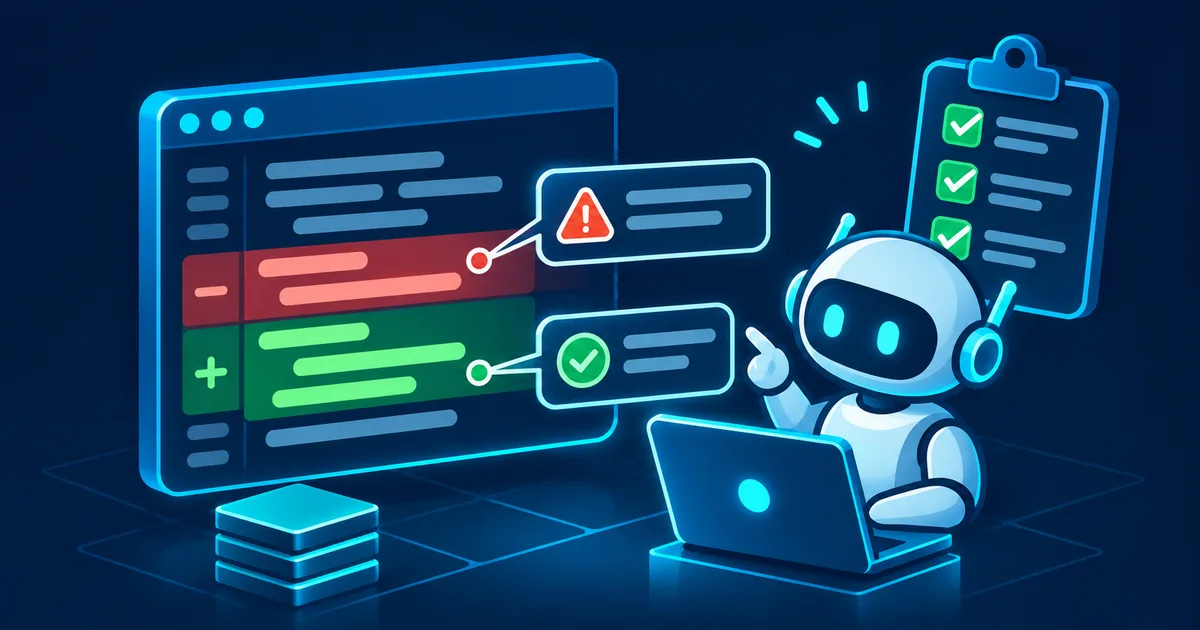
This is exactly where code reviews with Codex can help. OpenAI's Codex can examine source code, analyze changes between versions, and flag potential bugs, security risks, and maintenance problems. That turns artificial intelligence into an additional reviewer in the development process.
But how reliable is this in practice? Which bugs does Codex actually catch? And how do you integrate it sensibly into existing Git and deployment workflows? This practical guide shows how to use Codex for code reviews, which prompts are genuinely useful, and why human oversight still remains essential.
What Is a Code Review, and Why Does It Matter?
A code review is the systematic examination of source code before changes are merged into a shared development branch or deployed to production. It's not just about catching obvious programming mistakes. A good code review looks at several quality dimensions:
- Functionality: Does the code do what it's supposed to do?
- Security: Do faulty inputs, permissions, or data access create vulnerabilities?
- Performance: Does a change cause unnecessary database queries or high resource use?
- Maintainability: Is the code understandable, well structured, and easy to maintain long-term?
- Compatibility: Does the change affect existing functionality or interfaces?
- Error handling: Are exceptions, timeouts, and unexpected states handled sensibly?
At many companies, experienced developers handle these checks. But manual reviews take time, especially when many changes are in flight at once. An AI-assisted code review can support that work by flagging suspicious spots up front. The key distinction: Codex doesn't replace an experienced reviewer, it complements one.
How Does a Code Review with Codex Work?
Codex is an AI-powered coding agent from OpenAI. Among other things, it can work with source code, project files, Git changes, and development tools. For a code review, Codex examines a Git diff, a specific file, or several related parts of a project.
| Step | What happens |
|---|---|
| Code change | Commit, branch, or pull request |
| Codex analyzes | Logic, security, error cases, and side effects |
| Review results | Concrete findings and improvement suggestions |
| Human review | Evaluate findings, fix issues, run tests |
| Approval and deployment | Only after a successful review |
The big advantage lies in context. Classic tools like linters or static analyzers mainly check known rules, while an AI model can additionally spot possible relationships between functions and question unusual error states. That doesn't mean Codex catches every bug, though. AI-generated findings can be incomplete or wrong. That's why relevant findings need to be traceable and verifiable.
Which Bugs Can Codex Catch in a Code Review?
1. Logic errors
Logic errors are among the most unpleasant problems in software development. The code is syntactically correct but produces wrong results under certain conditions. A simple Python example:
def calculate_discount(price, discount):
    return price - discount
At first glance, the function looks unremarkable. But it's unclear whether discount is meant to be a fixed amount or a percentage, and there are no checks for negative or invalid values. Codex could point out that the parameter's business meaning isn't clearly defined. Ambiguities like this are especially easy to catch when the review is given the original requirements.
2. Security vulnerabilities in source code
One important use case is checking security-critical functions. This includes SQL injection from unsafe database queries, missing authorization checks, insecure handling of user input, accidentally exposed API keys, problematic file access, inadequate error handling during authentication, and dangerous shell calls.
Example of an unsafe Python database query:
query = f"SELECT * FROM users WHERE id = {user_id}"
cursor.execute(query)
If user_id comes from an untrusted source, embedding it directly into the SQL string can create a SQL injection vulnerability. A safer variant with a DB API driver that uses %s placeholders looks like this:
query = "SELECT * FROM users WHERE id = %s"
cursor.execute(query, (user_id,))
Here, the SQL statement and the parameter are processed separately. Codex can recognize patterns like this and suggest fixes. Whether a vulnerability is actually exploitable, though, depends on the full context.
3. Performance problems
Not every problematic code change causes an immediate error. Sometimes an application just gets slower. A classic example is database queries inside a loop:
for user in users:
    orders = database.get_orders(user.id)
    process_orders(orders)
Running a separate database query for every user can create an N+1 query problem. Codex can flag patterns like this as possible performance risks and suggest, for example, batch queries or a better data-access strategy. Whether the optimization is actually worthwhile needs to be decided based on the database in use, the data volume, and measured results.
4. Exception-handling mistakes
Incomplete error handling is also a common review topic. Example:
try:
    result = external_api.call()
except Exception:
    pass
The exception gets swallowed entirely. As a result, errors can go unnoticed while the subsequent program logic keeps running in an invalid state. Codex might recommend handling exceptions deliberately, logging them meaningfully, or re-raising them in a controlled way.
5. Concurrency problems
In applications with multiple users or concurrently running processes, race conditions can occur, for example when two processes read, modify, and write back the same data. Problems like this are especially hard to test because they often only show up under load. Codex can identify potentially critical spots, but a reliable assessment requires additional tests and knowledge of the transactions, locks, and runtime conditions involved.
Running Code Reviews with the Codex CLI
One practical option is to use the Codex CLI directly inside your development project. This requires a configured Codex CLI, an accessible Git repository, and the necessary permissions. For how to install and set up the Codex CLI on Linux, see Install and Use Codex CLI on Linux: 2026 Guide (Read article).
Step 1: Switch to your project directory. First, check the state of the repository:
cd /path/to/project
git status
This shows which files have changed and whether there are unsaved changes.
Step 2: Review the changes. Use Git to look at the current differences:
git diff
git diff --cached
A review should cover as clearly defined a scope of changes as possible. That makes the work easier both for the AI and for the human reviewer.
Step 3: Start Codex. In a Codex CLI version that supports the review command, you can then use, for example, /review. Alternatively, you can trigger a non-interactive review through the CLI:
codex reviewWhich branch comparisons, commit selections, and other options are available depends on the installed CLI version. For the exact syntax, check:
codex review --helpStep 4: Evaluate the review results. A useful review should provide concrete information: the affected file and location, a description of the problem, possible impact, the conditions under which the bug occurs, a suggested fix, and a suitable test. A generic statement like "this code might be unsafe" isn't enough for a professional review. A finding that describes a concrete, reproducible error path is far more useful.
The Best Prompts for Code Reviews with Codex
Beyond the built-in review functions, you can point Codex at specific risks on purpose.
Prompt 1: General code review
Analyze the current changes in the Git repository.

Check in particular for:
- Logic errors
- Unhandled exceptions
- Security issues
- Performance regressions
- Incompatible changes

Only report concrete, verifiable problems.

For each finding, provide:
1. File and line
2. Description
3. Possible impact
4. Suggested fix
5. Suitable test

Do not modify any files.
This prompt works well as a first check before a commit or pull request.
Prompt 2: Security review
Perform a security-focused code review.

Examine the changed files for:
- SQL injection
- Command injection
- Missing authorization
- Insecure file access
- Exposure of secrets
- Insufficient input validation
- Unsafe error handling

Prioritize concrete security risks.

Distinguish between confirmed issues
and suspected cases.

Do not modify any source code.
This specialized check can be especially valuable for web applications and administrative interfaces.
Prompt 3: Performance review
Examine the changes for possible
performance regressions.

Pay particular attention to:
- Unnecessary database queries
- N+1 query patterns
- Inefficient loops
- Excessive memory usage
- Blocking I/O calls
- Missing timeouts
- Problematic concurrency

Suggest measurable improvements.

Do not invent benchmark results.
Prompt 4: Review before a production deployment
Check the current release branch for
risks to production operation.

Consider:
- Backward compatibility
- Database migrations
- Configuration changes
- Error handling
- Logging and monitoring
- Rollback capability
- Security-relevant changes

Produce a prioritized risk list.

Flag every item that needs to be
checked manually before deployment.

Do not make any changes.
This prompt is especially useful for applications that are updated regularly and where downtime would have serious business consequences.
Using Codex in GitHub Pull Requests
In teams, code changes are often reviewed through pull requests. A pull request documents which changes a developer wants to merge into a shared branch. For a closer look at how Codex fits into branches, pull requests, and GitHub more broadly, see How to Use Codex with GitHub: Branches, Pull Requests, and Code Reviews (Read article).
A sensible workflow looks like this:
- A developer creates a feature branch.
- The changes are committed and opened as a pull request.
- Automated tests and static checks run.
- Codex examines the changes for potential problems.
- A human reviewer evaluates the results.
- Critical issues get fixed and re-checked.
- After approval, the branch gets merged.
With GitHub integration set up, you can also request a review directly through a pull request comment, for example with @codex review. Codex responds with a reaction and then posts its review comments; automatic reviews, enabled in the Codex settings, can also trigger this step on every new pull request without a manual comment. Teams without that integration can run the review step locally or through a dedicated CI pipeline instead. What matters is that the review isn't treated in isolation, but as part of a traceable approval process.
Matching product · German-language edition
KI im Maschinenraum - Oder Bibel der gängigsten Stolperfallen
Uses concrete pitfalls to show how to check AI-generated code from Claude Code and comparable coding agents before it goes into production – a useful companion to Codex reviews.
How Reliable Are Code Reviews with Codex?
AI-assisted code reviews have clear strengths, but also clear limits.
| Review criterion | Codex | Human reviewer |
|---|---|---|
| Recurring error patterns | Well suited | Well suited |
| Suspected security issues | Can provide pointers | Can assess context and risk |
| Business requirements | Needs sufficient context | Often has better domain knowledge |
| Large changes | Helpful for structured checks | Time-consuming |
| Architecture decisions | Can surface alternatives | Owns the decision |
| Production sign-off | Should not decide alone | Requires responsible approval |
An AI model can miss bugs, flag harmless patterns as critical, or misread relationships in the code. That's why it's especially important to distinguish between three kinds of results:
- Concrete bug: The problem can be traced through the code and the conditions described.
- Reasonable suspicion: There are signs of a risk, but exploitability or actual impact isn't yet clear.
- General improvement suggestion: A change could improve code quality but doesn't necessarily fix a bug.
This distinction keeps teams from wasting time on unconfirmed AI findings.
Privacy and Security in AI Code Review
Anyone using Codex on a company project should also think about how source code is handled. Source code can contain confidential information, such as internal interfaces, business logic, database structures, or credentials. For how to set up Codex safely with a Git sandbox, backups, and approval levels, see How to Use OpenAI Codex Safely: Git, Sandbox, Backups, and Approvals (Read article).
Before deploying it, you should clarify the following:
- Which files and content is Codex allowed to process?
- What data gets sent to an external service?
- What retention and privacy rules apply to the environment in use?
- Which local tools and network access is the agent allowed to use?
- Have secrets been reliably removed from the repository?
- Who is allowed to apply suggested changes or approve them for production?
One especially important principle: a review task should initially only need read access. Automatic fixes, shell commands, or changes to production systems should be authorized separately. Keep in mind that telling a prompt "do not modify any files" is not, by itself, a technical access restriction. The corresponding permissions still need to be enforced through the execution environment.
Matching product · German-language edition
AI Assisted Coding - Vibe Coding Projektstart
Shows how to set up an AI-assisted software project from day one with clear permissions, secure credentials, and a traceable structure – a solid foundation for controlled Codex reviews.
Combining Codex With Classic Code Analysis and Tests
Codex shouldn't be the only quality-assurance tool in your stack. A robust development setup combines several review methods.
| Tool | Main purpose |
|---|---|
| Linter | Style issues and known rule violations |
| Static code analysis | Potential bugs and security patterns |
| Unit tests | Behavior of individual functions |
| Integration tests | Interaction between multiple components |
| Dependency scanner | Known vulnerabilities in dependencies |
| Codex code review | Context-aware analysis and bug finding |
| Human reviewer | Business judgment and sign-off |
These tools complement each other because they catch different classes of bugs. A passing unit test, for example, doesn't prove that a function is secure. Conversely, a clean AI review doesn't prove that every requirement was implemented correctly. For how to keep Codex in check with a full test-first workflow, see Test-Driven Development with Codex: Write the Tests First, Then the Code (Read article).
Practical Example: Using Codex Before a Deployment
Picture a web application where a developer has just added a new user-management feature. The changes touch an API, several database queries, and permission checks. Before the new code goes live, a review is carried out.
First check: Git diff. First, the difference against the intended target branch is checked.
git diff main...feature/user-managementThis command shows the feature branch's changes relative to its common ancestor with main, assuming both branches exist locally.
Second check: Codex review. On the feature branch, you might use a command like this:
codex review --base mainThis tells Codex to review the changes against the specified base branch. Whether this option is supported should be checked against the installed CLI version.
Third check: Security focus. Codex is then given a targeted review task:
Review the new user-management feature for
missing authorization checks.

In particular, check whether users can read,
modify, or delete records that belong to
other users.

Describe concrete attack scenarios
and suitable regression tests.
A possible finding here would point out that an API endpoint checks that the user is logged in but doesn't verify whether that user is allowed to work with the specific record being requested.
Fourth check: Fix and test. The developer investigates the finding, fixes the authorization logic if needed, and adds a test. At a minimum, this should confirm that an authorized user can access the record and that an unauthorized user is rejected.
Fifth check: Approval. Only once the required tests pass and the relevant review findings have been addressed does the pull request get approved. This turns Codex into an extra layer of security between development and production.
Common Mistakes When Using Codex for Code Reviews
A common mistake is giving the AI a review task that's too broad or too vague. Asking it to examine an entire codebase without a clear goal quickly produces a flood of generic observations. It's better to use a manageable scope of changes with clearly defined review criteria.
Another problem is accepting AI suggestions uncritically. Not every proposed optimization actually makes sense for the specific project, and automatically generated fixes can introduce new bugs of their own. That's why every relevant change needs to be tested again.
Finally, a code review shouldn't happen only right before deployment. The earlier bugs are found, the easier they usually are to fix.
Checklist: Code Reviews With Codex Before Going to Production
- Scope of changes and target branch are clearly defined.
- Codex has reviewed the relevant code changes.
- Security-critical functions were checked separately.
- All critical findings have been investigated and resolved.
- Unit and integration tests pass.
- Database migrations and configuration changes have been checked.
- Secrets and confidential data are protected.
- Rollback and monitoring are in place.
- A responsible human has given approval.
Bonus: Setting Your Own Review Rules With AGENTS.md
Since July 2026, Codex Code Review has supported project-specific review rules through an AGENTS.md file. This lets you define recurring requirements, such as API backward compatibility or protecting personal data in logs. Rules are picked up from the closest AGENTS.md file in the directory tree, so they apply specifically to the affected part of the project.
An example:
# Code Review Rules

## Security
- No credentials in source code.
- API endpoints must check permissions.
- No personal data in logs.

## Database
- SQL queries must be parameterized.
- Database migrations must be reviewed.
- Existing interfaces must not be
  changed unintentionally.

## Reliability
- External API calls need timeouts.
- Errors must not be silently
  suppressed.
This gives Codex extra information about a project's specific requirements. For GitHub repositories with Codex integration set up, you can also request a review via the pull request comment @codex review; automatic reviews on every new pull request are also possible with the right configuration.
Code Reviews With Codex: Frequently Asked Questions
Can Codex run code reviews automatically?
Yes. Codex supports local reviews through the CLI as well as reviews of GitHub pull requests. Depending on the integration, these can be triggered manually or run automatically.
Can Codex detect security vulnerabilities?
Codex can flag potential security vulnerabilities, including SQL injection, missing authorization checks, and insecure input handling. It does not replace a full security audit.
Does Codex automatically change files during a code review?
The dedicated review functions in the Codex CLI examine changes without modifying the working tree. Separate coding tasks, on the other hand, can make changes if the corresponding permissions are in place.
Can I use Codex without GitHub?
Yes. The Codex CLI lets you review local Git repositories directly on your own development machine.
Is Codex suitable for small development teams?
Yes. Smaller teams in particular can benefit from an additional check when only a few people are available for manual reviews. Human approval should still remain in place.
Sources and Currency
This article is based on OpenAI's official documentation for Codex Code Review, its GitHub integration, and project-specific review rules via AGENTS.md (as of November 2026). Primary sources used include: Codex Code Review in GitHub – official documentation and Custom Code Review Rules for Codex – OpenAI Developers Blog.
Conclusion: Codex Makes Code Reviews Faster, Not Optional
Code reviews with Codex can meaningfully support software development. The AI helps spot suspicious changes, uncover possible security vulnerabilities, and catch error cases that were missed during development. It's especially valuable for pull requests, security-critical changes, and preparing production releases.
The biggest benefit, though, doesn't come from the AI alone, but from combining automated analysis, tests, and human experience. Codex should help people make better decisions – not take over responsibility for those decisions.
Teams that integrate code reviews early and systematically into their development process can reduce the risk of avoidable bugs ever reaching production in the first place.
Editorial note: The practical examples, prompts, and code snippets are simplified, illustrative examples for demonstration purposes and are not claims about specific projects or measured results. Which CLI options and integrations are available in detail depends on the installed Codex version and should be verified before production use.
Related Topics
Install and Use Codex CLI on Linux: 2026 Guide (Read article)
How to Use Codex with GitHub: Branches, Pull Requests, and Code Reviews (Read article)
How to Use OpenAI Codex Safely: Git, Sandbox, Backups, and Approvals (Read article)
Test-Driven Development with Codex: Write the Tests First, Then the Code (Read article)
As of: November 2026.