
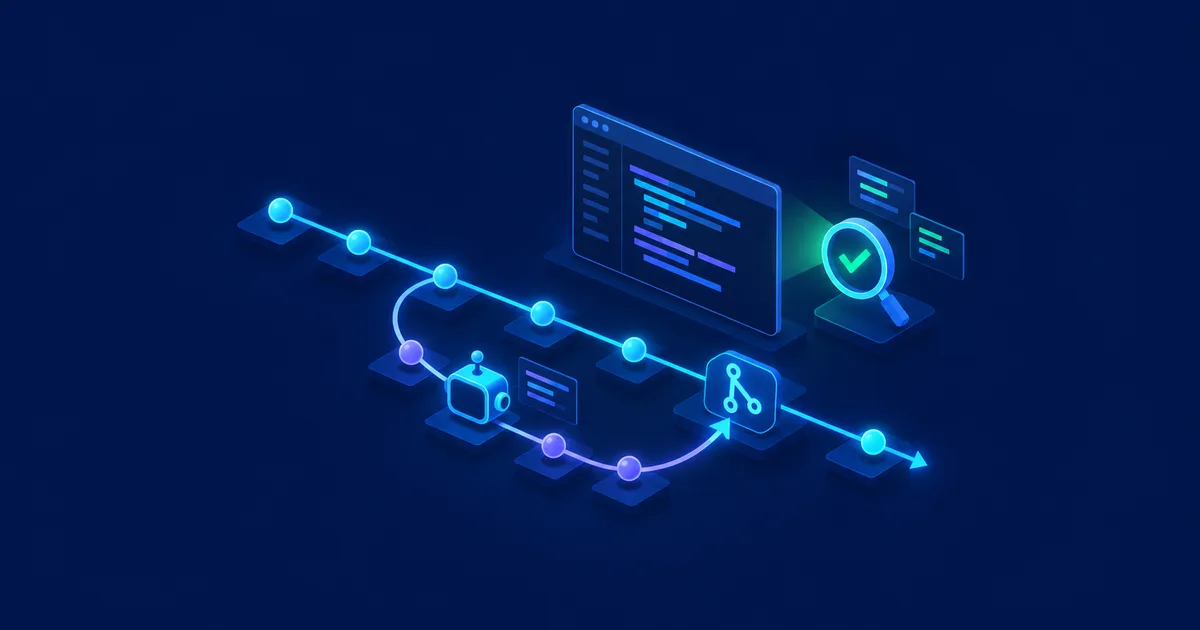
OpenAI Codex today can do far more than generate individual functions or code snippets. The coding agent can handle entire tasks inside a repository, run tests, prepare changes, and be wired into a professional development workflow alongside GitHub.
That raises an important question: should you just let Codex loose on the repository and write changes directly to main?
For serious projects, the better answer is no. A coding agent should be treated like any other developer on the team. Changes start out in their own branch, get made visible through a pull request, run through automated tests, and are then reviewed.
That turns Git into a security and control layer between the AI agent and your production code.
Simplified, the workflow looks like this:
Issue / task
  → Feature branch
  → Codex develops
  → Tests + linting
  → Commit
  → Push to GitHub
  → Pull request
  → CI + Codex review + human review
  → Merge
  → main
That's what turns "AI writes code" into a traceable development process.
Codex and GitHub: what's possible in 2026?
Codex Cloud can connect to GitHub repositories. You decide which repositories Codex gets access to. Dedicated environments can be set up for tasks, and results can be reviewed as a diff or turned into a pull request afterward. Whether you'd rather do this from the Codex app, the CLI in your terminal, or an IDE extension mostly comes down to your own workflow — see Codex App vs. Codex CLI vs. IDE: Which One Fits Your Workflow? (Read article) for a comparison of the three.
What's especially interesting is the now-available integration for pull request reviews. Inside a GitHub pull request, you can write @codex review. Codex then analyzes the pull request diff and posts a standard GitHub code review. OpenAI also supports automatic reviews plus repository-specific review rules through AGENTS.md.
That means Codex can now show up at several points in the development process: writing code, running tests, fixing bugs, preparing pull requests, reviewing pull requests, and fixing review findings. Those capabilities make GitHub structure more important, not less. The more capable the agent gets, the more valuable traceable boundaries become.
The most important rule: Codex doesn't work directly on main
The main branch — or whatever your central production branch is called — should represent the stable version of your project. GitHub explicitly describes branches as a way to work on features, bug fixes, or experiments in isolation from other changes. Those changes can then be compared, discussed, and merged through pull requests.
So instead of telling Codex "Implement the new login system," a cleaner workflow looks like this:
git switch main
git pull
git switch -c feature/login-system
Only then do you start Codex. That way, all the AI-generated work lives in feature/login-system instead of directly in main. If Codex picks the wrong architecture, changes files unexpectedly, or introduces a regression, the production branch stays untouched for now.
Good branch names help both humans and the AI
Even for AI-generated code, the branch name should convey what's changing — for example feature/user-dashboard, fix/login-timeout, refactor/database-layer, or security/update-authentication. That's not just useful for developers; Codex also gets extra context about what kind of change is underway. A branch called codex-test-123, on the other hand, says essentially nothing about the actual task.
Before Codex: lock down GitHub itself
Before a coding agent gets write access to an important repository, GitHub itself should already have the right protections in place. Protected branches and GitHub rulesets can restrict direct pushes, require pull requests, define required status checks, and require reviews before a merge. GitHub also supports mandatory code owner reviews, signed commits, and resolving open review conversations.
A sensible philosophy for a production main branch looks something like this: no plain direct pushes, changes only via pull request, CI must pass, at least one review, and open review comments must be resolved — only then does the merge happen. That way, a mistake by the AI agent can't automatically become a mistake in the production branch. For more on hardening Codex itself with sandboxing, backups, and approvals, see How to Use OpenAI Codex Safely: Git, Sandbox, Backups, and Approvals (Read article).
AGENTS.md: the rulebook for Codex
One of the most important files for Codex projects is AGENTS.md. Codex loads these files as persistent project instructions. They can define repository structure, build commands, test commands, development rules, restrictions, and pull request requirements, among other things.
A simple example might look like this:
# AGENTS.md

## Repository
This is a production application.

## Development rules
- Never commit directly to main.
- Do not modify production secrets.
- Do not commit .env files.
- Keep changes limited to the current task.
- Avoid unrelated refactoring.

## Validation
Before considering a task complete:
- Run the unit tests.
- Run the integration tests if affected.
- Run the linter.
- Check git diff for unrelated changes.

## Pull Requests
Every functional change must be submitted through a pull request.
The pull request description must contain:
- What changed
- Why it changed
- Files affected
- Tests performed
- Known risks
That means you don't have to re-explain these rules for every new task. If you also use Claude Code on the same project, don't maintain these rules twice: AGENTS.md vs. CLAUDE.md: Which File Does Your Project Need? (Read article)
A good Codex prompt doesn't start with "just finish it"
Coding agents perform better when the task is clearly scoped. A good task description includes at least a goal, a scope, constraints, and acceptance criteria. For example:
Implement server-side pagination for user administration.
Work only in the current feature branch.

Requirements:
- The API supports page and limit.
- The default value for limit is 50.
- The maximum value is 200.
- Existing API calls must remain compatible.
- Add appropriate tests.
- Do not change unrelated components.
- Do not install additional dependencies without justification.
- Run tests and the linter.

Review the full git diff afterward for unintended changes.
Do not merge into main.
That's a completely different assignment than "Do pagination." The more clearly the task is defined, the easier the resulting pull request is to review later.
Let Codex work — then review the diff
Once a task is done, don't commit right away. First git status, then git diff, and if anything is already staged, git diff --cached as well. The key question: did Codex change only what this task actually required?
Pay particularly close attention to changes in these areas: .env, Dockerfile, docker-compose.yml, package.json, requirements.txt, GitHub Actions, deployment scripts, database migrations, authentication, permissions, and firewall rules or infrastructure as code. A task that looks small but suddenly touches a dozen configuration files deserves a closer look.
Small commits instead of one giant AI commit
Even though Codex can generate a large amount of code within minutes, commits should still stay logically traceable. Instead of "Update project," something like feat(users): add server-side pagination is far more useful. If something breaks later, that makes it much easier to see why a change was made.
git add .
git commit -m "feat(users): add server-side pagination"
git push -u origin feature/user-pagination
The change is now on GitHub — but still not in main.
Matching product · German-language edition
AI Assisted Coding – Vibe Coding Project Start
This practical guide shows how to set up a vibe-coding project with Codex and similar tools cleanly from day one — covering project structure, AGENTS.md, and controlled deployment through branches and pull requests.
Pull requests are the actual control point
A pull request isn't just the button you press before merging. It's the central place for the diff, commits, discussion, tests, CI, code review, security checks, and the merge decision itself. GitHub can run automated tests, builds, and code scanning directly against a pull request's changes. Only once reviews and required checks pass does the PR get merged. That intermediate step is especially valuable for AI-generated code.
Let Codex draft a good pull request description
Codex can also prepare the pull request description. A sensible task looks like this:
Analyze the changes in the current branch compared with main.

Create a pull request description containing:
- Summary
- Reason for the change
- Important implementation details
- Files and components affected
- Tests executed
- Potential risks
- Manual verification steps

Do not exaggerate test coverage.
Only mention tests that were actually executed.
That last point matters. A PR description shouldn't claim "All tests passed" when no tests were actually run.
Draft pull requests for larger Codex tasks
For bigger changes, a draft pull request can be a good idea. It makes the work visible early without implying the code is ready to merge. Codex can keep pushing changes to the same branch while developers already watch the architecture and diff take shape. That reduces the risk of discovering, hours or days later, that the agent went in fundamentally the wrong direction.
Using Codex as a code reviewer itself
One of the most interesting features of the current GitHub integration is direct code review. In a pull request, you can write:
@codex reviewCodex analyzes the diff and then posts a GitHub review. According to OpenAI's current documentation, the standard GitHub review focuses on high-priority issues. You can also scope the analysis to a specific topic, for example @codex review for database migration risks or @codex review focusing on authentication and authorization. That's especially useful for pull requests whose critical areas are already known.
Automatic Codex reviews
If Codex code review is enabled for the repository, reviews can also start automatically. You don't have to type @codex review manually every time — Codex checks new pull requests automatically based on the configured settings. A resulting workflow might look like this:
Developer / Codex
  → Pull request
  → GitHub Actions + Codex review + security checks
  → Human review
  → Merge
That way, AI doesn't replace the development process — it becomes an additional part of it.
Custom code review rules via AGENTS.md
Codex code review gets especially interesting combined with AGENTS.md, through a dedicated ## Code Review Rules section. Codex looks for the relevant AGENTS.md files and can apply different rules depending on the directory. Repository-wide guidance can live in the root file, while a particularly critical payment service, for example, can carry additional rules in its own directory.
## Code Review Rules

### Authentication
- Authentication endpoints must never log passwords,
  access tokens, refresh tokens or session cookies.

### Database
- Database migrations must remain backward compatible
  during rolling deployments.

### API
- Existing public API fields must not be removed
  without an explicit migration plan.

### Security
- Never expose internal exception details to API clients.
That gives Codex rules a general-purpose reviewer could never know in the first place.
Linting doesn't belong in the AI review
Not every check should be handed to Codex. Deterministic checks — formatting, linting, type checking, unit tests, integration tests, build, dependency checks — still belong in CI. OpenAI also recommends leaving mechanically verifiable rules to CI and using AGENTS.md review rules mainly for project-specific risks and behavioral requirements. A linter can reliably tell whether a formatting rule was violated. Codex's time is better spent on questions like: could this change cause data loss? Or: does this implementation unintentionally change the permission model?
Codex security review
For security-critical changes, there's also @codex security review. OpenAI currently describes this security review as an additional, more thorough security check for a pull request, and labels the feature a research preview. It's particularly useful for changes touching authentication, authorization, session management, API access, file uploads, SQL queries, secrets, cryptography, OAuth, or webhook handling and infrastructure. The security review still shouldn't replace existing security tooling: SAST, dependency scanning, secret scanning, and human security review remain important.
Codex can fix review findings too
If Codex finds a problem in a pull request, the agent can be brought back in. OpenAI's current documentation gives an example like @codex fix the P1 issue. Codex can then start a cloud chat with the pull request as context and, with the right permissions, write a fix back into the branch. That's where it gets interesting: the new change should go through the same process again — finding, fix, CI, diff, review. A fixed bug can, after all, introduce a new one.
Matching product · German-language edition
KI im Maschinenraum
How to systematically check AI-generated code from Claude Code, Codex, and similar tools before it goes live — with concrete pitfalls and traceable verification steps for everyday technical work.
Human review still matters
Codex code review is an additional check, not a reason to switch off every other control. OpenAI itself points out that code review by Codex doesn't replace tests, branch protection rules, or required approvals. Humans have context a coding agent might not fully know: Why was an old interface deliberately not modernized? Which major customer depends on a specific legacy behavior? Which change is explicitly out of scope for the next release? Which dependency can't be used for compliance reasons? A technically correct diff can still be wrong from a business standpoint.
CODEOWNERS for especially critical areas
GitHub can automatically request the responsible developers or teams for certain files through code owners — for example /database/migrations/, /infrastructure/, /.github/workflows/, /auth/, or /payment/. If Codex changes code there, GitHub can automatically require additional review from the people responsible. GitHub supports code owner reviews together with protected branches and rulesets. That lets you apply a very effective principle: the more critical the code, the stronger the control before merge.
CI needs to be able to make the call before merge
A professional Codex workflow should catch as many issues as possible before a human even has to read the full diff. A CI pipeline might check checkout, dependencies, lint, type check, unit tests, integration tests, build, and security scan in sequence. GitHub branch protection can require that defined status checks pass successfully before a pull request can be merged. Codex can still generate and push flawed code — it just won't automatically get through quality control. That's exactly the intended effect.
Be careful with auto-merge
Automation is convenient. But a workflow shaped like "Codex writes → Codex reviews → CI green → auto-merge → production" isn't a good fit for every project. Especially for changes to databases, authentication, infrastructure, or business logic, a technically successful build can still have unwanted consequences. So the question shouldn't be "How much can I automate?" It should be: which steps can be automated reliably, and where do I deliberately need a human approval?
Which merge strategy fits?
GitHub supports merge commits, squash-and-merge, and rebase-and-merge, among others. For many smaller Codex branches, squash and merge can be attractive: several small intermediate commits like fix validation, fix test, or final fix become a single commit such as feat(api): add request validation. For projects where individual commits deliberately document an important part of the development history, other strategies can make more sense. What matters most is that the team applies one consistent rule.
A complete Codex-GitHub workflow in practice
Say Codex needs to implement a CSV export for user administration. First:
git switch main
git pull
git switch -c feature/user-csv-export
Then Codex gets this task:
Implement a CSV export for the user administration.

Requirements:
- Work only in the current branch.
- Do not modify authentication or permissions.
- Only administrators may export users.
- Export only fields already visible in the admin interface.
- Use UTF-8.
- Add appropriate tests.
- Do not introduce new dependencies unless necessary.
- Run all relevant tests and linting.
- Review the final git diff for unrelated changes.

Do not merge into main.
Once it's done: git status and git diff, then tests such as npm test and npm run lint, or whatever commands your project uses. If you already run the Codex CLI from a Linux terminal, Install and Use Codex CLI on Linux (Read article) covers the basic commands and a secure setup. Then:
git add .
git commit -m "feat(users): add CSV export"
git push -u origin feature/user-csv-export
Now the pull request gets created. From there, you can run @codex review. For security-sensitive changes: @codex security review. CI and human review follow. Only once those checks are complete does the pull request get merged into main. That's the difference between uncontrolled AI coding and AI-assisted software development.
The most common Codex-and-GitHub mistakes
The most dangerous failure isn't bad AI-generated code. It's a workflow where bad code can reach production without enough control. Particular red flags include direct write access to main, missing branch protection, huge pull requests, vague Codex tasks, missing tests, committed secrets, and automatic deployment without proper approval steps.
Another classic is the task "Improve the project." Codex can interpret that in a completely different way than you intended. A clearly scoped task like "Fix issue #248 without changing the public API" is much easier to implement — and much easier to review afterward.
With AI coding, GitHub is more than version control
Git used to be seen mostly as version control. With coding agents, Git also takes on an important governance role. Branches limit changes. Commits document them. Pull requests make them visible. CI checks them. Reviews question them. Branch protection prevents unauthorized shortcuts. And only the merge brings the change into the shared codebase.
AI agent → Git → GitHub → CI → Review → Approval → ProductionThe more autonomous coding agents get, the more valuable this structure becomes.
Conclusion: Codex needs guardrails — and GitHub provides them
OpenAI Codex can significantly speed up development work. But the biggest productivity gain doesn't come from giving the agent unlimited permissions. It comes from a good process: create a branch, give Codex a clearly scoped task, review the changes, run tests, open a pull request, run CI and code review — and only then merge.
With AGENTS.md, GitHub branch protection, automated tests, pull requests, and Codex code review, you can build a workflow where AI takes on a lot of the work without losing control over the source code. That's exactly the difference between simple vibe coding and professional AI-assisted software development.
Codex is allowed to be fast. GitHub makes sure fast doesn't automatically mean uncontrolled.
FAQ: Codex with GitHub
Can Codex review GitHub pull requests?
Yes. Codex code review can be used directly in GitHub pull requests. A review can be requested with @codex review, among other options. Automatic reviews can also be configured.
What does AGENTS.md do?
AGENTS.md holds persistent instructions for Codex, such as build and test commands, project conventions, restrictions, and specific code review rules. Codex can apply different AGENTS.md instructions depending on the directory.
Should Codex develop directly on main?
For a controlled development process, a dedicated feature or bugfix branch is the better choice. That keeps changes isolated so they can be reviewed through a pull request afterward. GitHub recommends branches specifically for this kind of separation.
Can Codex run security reviews?
OpenAI offers @codex security review as an additional security review for pull requests. The feature is currently described as a research preview.
Does Codex replace a human code reviewer?
No. Codex can provide an additional review pass, but OpenAI explicitly describes code review as a complement to tests, branch protection rules, and required approvals.
What happens if Codex finds an issue during review?
Codex can be asked to fix the issue through another comment. With the right permissions, the agent can write a correction back into the PR branch. CI and review should then run again.
Sources and further documentation
This article follows the current state of official OpenAI Codex documentation as well as GitHub's documentation on branches, pull requests, code reviews, and branch protection. Particularly relevant are the current OpenAI documentation on Codex code review, AGENTS.md, and Codex Cloud, plus GitHub's documentation on protected branches, pull requests, and rulesets.
As of September 2026.
Related topics
How to Use OpenAI Codex Safely: Git, Sandbox, Backups, and Approvals (Read article)
AGENTS.md vs. CLAUDE.md: Which File Does Your Project Need? (Read article)
Codex App vs. Codex CLI vs. IDE: Which One Fits Your Workflow? (Read article)
Install and Use Codex CLI on Linux (Read article)
Claude Code vs. OpenAI Codex: Which Coding Agent Is Better? (Read article)