
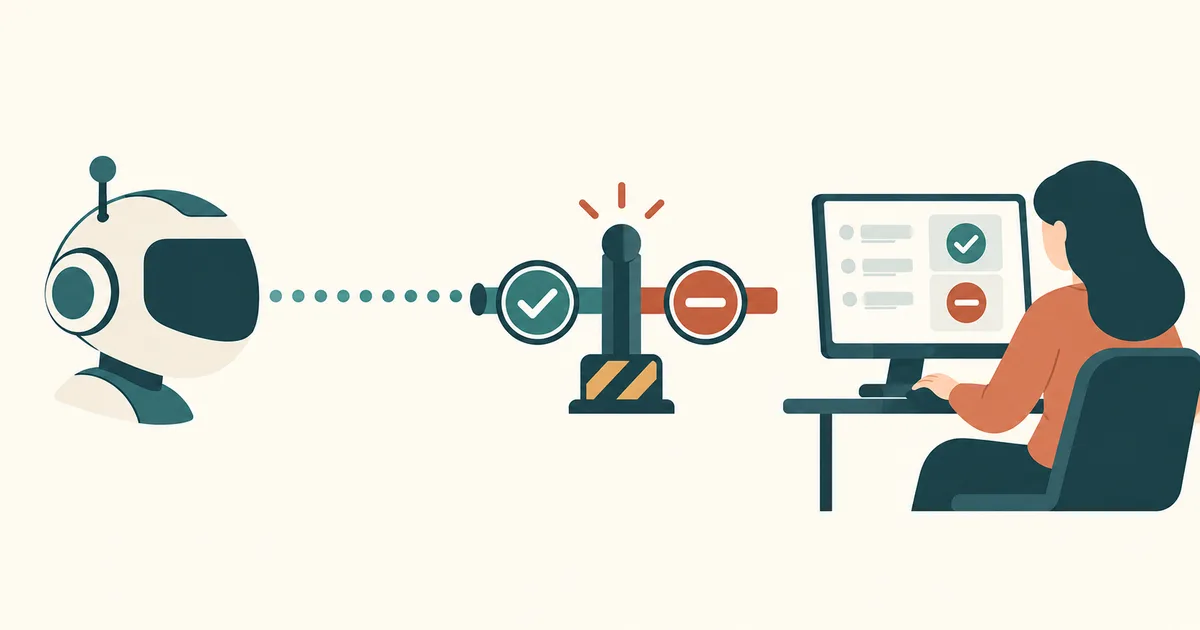
AI agents can do far more today than write text or answer questions. They analyze documents, search databases, handle support tickets, change program code, and kick off automated workflows. Some systems can even send emails or run actions on servers on their own.
And that's exactly where a crucial question appears: when is an AI agent allowed to decide for itself, and when does a human need to step in?
The answer comes from a concept called human-in-the-loop, or HITL for short. The point isn't to artificially slow AI down. It's to keep humans in control precisely where mistakes are expensive, dangerous, or hard to undo.
This article explains how human-in-the-loop works, which decisions an AI agent should never make without approval, and how to put a reliable approval process into practice.
What does human-in-the-loop actually mean?
Human-in-the-loop describes a process where a human is deliberately brought into the work of an automated system.
An AI agent might gather information, analyze it, and draft a proposed solution. But before it carries out a critical action, a human has to agree first.
The basic principle: the AI prepares. The human decides. The AI executes once approved.
A simple example from everyday IT work: an AI agent monitors a web server's log files. It spots suspicious traffic from a specific IP address and suggests blocking it temporarily.
Without human-in-the-loop, the agent could apply the block immediately. With human-in-the-loop, it first creates a proposal instead:
Suspicious traffic detected from IP address 203.0.113.42.
850 failed requests were logged within five minutes.
Proposed action: block the IP address for 60 minutes.
Approval required.
An administrator can then approve the proposal, reject it, or ask for more information. That keeps the automation fast without losing human control.
Human-in-the-loop, human-on-the-loop, and human-out-of-the-loop
Not every AI automation needs the same kind of human involvement. Three terms matter here in particular:
| Model | Meaning | Example |
|---|---|---|
| Human-in-the-loop | A human must step in before a defined action | Restarting a production server |
| Human-on-the-loop | A human monitors and can intervene | AI auto-classifies support tickets |
| Human-out-of-the-loop | AI operates without human involvement in the individual step | Summarizing non-critical log data |
With human-on-the-loop, the monitoring actually has to work. That means real transparency, timely alerts, and a genuine technical ability to stop the action.
Human-out-of-the-loop doesn't mean a system should run completely unsupervised either. Even fully automated processes need defined limits, monitoring, and clear ownership.
Why human-in-the-loop matters so much for AI agents
A classic chatbot answers questions. An AI agent goes further: it can use tools and make changes in external systems. That difference is exactly why human-in-the-loop matters.
A wrong chatbot reply is annoying. A wrongly executed database command can cause serious damage. Five risks are especially critical:
- Misinterpretation: the agent understands an instruction differently than intended.
- Incomplete information: the AI decides based on missing or outdated data.
- Prompt injection: a manipulated document or web page tries to push the agent into unwanted actions. For how this attack path actually works through connected tools, see MCP Prompt Injection: Why External Data Can Be Dangerous (Read article).
- Excessive permissions: the agent holds more access than its task actually requires.
- Uncontrolled follow-on actions: a seemingly harmless decision triggers further critical steps.
Human-in-the-loop forms an important extra layer of safety on top of that. Still, a human approval never replaces clean permission management or real technical security controls.
When must an AI agent ask a human?
Not every action needs approval. What matters is risk, impact, and whether a mistake can actually be undone.
| Action | Classification |
|---|---|
| Analyze a log file | Automatic |
| Generate a report | Automatic |
| Categorize a support ticket | Automatic |
| Send a customer email | Approval recommended |
| Change a firewall rule | Approval recommended |
| Delete production data | Approval required |
| Transfer money | Approval required |
| Expand user permissions | Approval required |
This classification is a recommended internal security policy, not a blanket legal classification.
1. When money is moving
An AI agent can check invoices, reconcile payment data, and prepare a transfer. The actual payment release, however, should go through a controlled process. For larger amounts, the four-eyes principle is especially worthwhile.
2. When data is deleted or changed
Deleting files, database records, or backups can have serious consequences. Before a critical change, an agent should provide at least this much context:
- Which data is affected?
- Why is the action necessary?
- What impact is expected?
- Is there a tested recovery path?
- How can the action be rolled back, if at all?
An approval should always refer to one concrete, traceable change.
3. When production IT systems are affected
Human-in-the-loop matters especially in system administration. An AI agent might, for example, disable a HAProxy backend server, change a Kubernetes deployment configuration, or restart a database service. Actions like these can immediately affect application availability. Changes to production systems should therefore always go through defined approval and deployment processes.
4. When personal or confidential data is processed
An AI agent shouldn't share information just because it technically can access it. Before sharing any data, it must be clear whether the recipient is authorized and whether the processing itself is permitted. One important point: a human approval does not automatically make otherwise unlawful processing lawful.
5. When a decision has a significant impact on people
Extra caution is needed for hiring decisions, credit approvals, insurance, and comparably consequential matters. Beyond data protection rules, sector-specific regulation and the EU AI Act can be relevant here too.
Article 22 of the GDPR in particular can apply to decisions made solely by automated means that have a legal or similarly significant effect. Whether an exception applies, and what safeguards are needed, has to be assessed case by case.
A practical example: an AI agent administering a Linux server
Picture an AI agent monitoring a Linux web server. The agent has access to monitoring data, system logs, and a few selected administrative tools. One morning, it detects unusually high CPU load.
1. Monitoring detects the problem   → CPU load above 95% for a sustained period
2. AI agent analyzes                → checks processes, logs, and system state
3. Proposed fix                     → restart the affected service in a controlled way
4. Human approval                   → administrator reviews impact and decides
   ├─ Approved  → execute the action and log it
   └─ Rejected  → stop the action and look for an alternative
The key point: the agent is free to run the analysis on its own, but it may not automatically restart the production service. Once approved, it only executes the exact action that was approved. If circumstances change materially, it has to request approval again.
Putting human-in-the-loop into practice
A reliable approval process is more than a chat message asking "is this okay?" The approval needs to be part of the technical architecture itself.
Step 1: Classify actions by risk
Start by defining three risk tiers:
| Tier | Description | Behavior |
|---|---|---|
| Low | Read-only or non-critical actions | Runs automatically |
| Medium | Limited, reversible changes | Approval depends on policy |
| High | Destructive, financial, or security-critical actions | Approval mandatory |
This classification should be based on concrete actions, resources, environments, and impact, not on vague intuition.
Step 2: Enforce approvals before execution
A simplified Python example shows the basic idea:
from enum import Enum

class Risk(Enum):
    LOW = "low"
    HIGH = "high"

def classify_action(action):
    critical = {
        "delete_database",
        "restart_production",
        "change_firewall",
        "transfer_money",
    }
    return Risk.HIGH if action in critical else Risk.LOW

def execute_action(action, params, approval=None):
    risk = classify_action(action)

    if risk == Risk.HIGH:
        if not verify_approval(approval, action=action, params=params):
            raise PermissionError("Human approval required")

    return run_allowlisted_action(action, params)
verify_approval() and run_allowlisted_action() stand in here for security components you'd implement separately. In a production system, verify_approval() specifically needs to check identity, authorization, validity period, and that the approval is bound to the exact action parameters being executed.
Important: an action shouldn't be treated as harmless just because it isn't on a list of known critical actions. Unknown or not explicitly allowed actions must be blocked by default.
Step 3: Use a real approval channel
Approval can run through a web dashboard, a ticketing system, or a purpose-built, secured workflow. The notification itself should include: the planned action and target system, the reasoning and data behind it, expected impact, risk tier, a way to approve or reject it, and an expiry time for the request.
An email or chat message can flag that a request exists. But the actual approval should happen through an authenticated, authorized channel, not a publicly reachable link with no real identity check. For how to lock down that kind of channel properly, see MCP Authentication Explained: OAuth, Tokens, and Secure Access (Read article).
Step 4: Log decisions so they can be audited
For later analysis, it has to be traceable who approved which action. An approval log entry might look like this:
{
  "request_id": "hitl-2026-0042",
  "agent": "linux-maintenance-agent",
  "action": "restart_production",
  "target": "webserver-03",
  "risk": "high",
  "approved_by": "admin-01",
  "status": "approved",
  "timestamp": "2026-10-28T06:20:00+01:00"
}
In practice, you'd also want an immutable reference to the approved parameters, an expiry time, and the actual execution result recorded alongside it.
Related product in my shop
MCP Server Praxisleitfaden 2026
This practical guide (German-language edition) explains the Model Context Protocol clearly and hands-on, including least privilege, auditing, and secure server automation — useful if your approval channels will eventually connect to MCP servers too.
Human-in-the-loop with ChatGPT, coding agents, and n8n
The concept can be implemented with different kinds of AI tooling.
ChatGPT and AI agents with tool access
When an AI assistant uses external tools, read actions and write actions should be clearly separated. An agent might be free to draft a database query. A production change, by contrast, should be controlled by a separate permission and approval layer.
A system prompt instruction like "always ask before critical actions" is useful, but it's not a sufficient technical safeguard on its own.
Codex and Claude Code
Coding agents can edit files, run commands, and support whole development workflows. That's exactly why the available permission modes, sandbox settings, and approval mechanisms matter so much.
A good workflow looks like this: the agent analyzes the problem, drafts a proposed change, automated tests and security checks run, a developer reviews the pull request, and only then does deployment happen. For especially critical production systems, an additional approval for the actual rollout may be warranted.
In Claude Code, a step like this can even be technically enforced instead of just recommended: Claude Code Hooks Explained: Enforcing Rules and Automation in Your Project (Read article) shows how a PreToolUse hook can block a critical command before it ever runs.
n8n and automated workflows
Approval workflows can also be built in n8n. A workflow might first analyze an invoice and then generate an approval request. Only after a positive decision does the payment process continue.
Technically, this can be implemented with wait states, webhooks, authenticated approval interfaces, and suitable integrations. The approval has to be verified server-side. A simple, publicly reachable confirmation link is not sufficient for security-critical actions.
Quick check: does your AI agent need approval?
The table below offers a simplified way to classify typical agent actions. It doesn't replace an individual risk or legal assessment, but it gives a useful starting point for internal security rules.
| What should the agent do? | Reversible? | Confidential data / production system involved? | Classification |
|---|---|---|---|
| Only read or analyze information | – | No | Automation generally fine, logging still matters |
| Change data or configuration | Yes, reliably | No | Approval depends on policy (medium risk) |
| Change data or configuration | No / unclear | Yes | Approval required |
| Delete data, move money, or change permissions | – | – | Approval required |
The five most common human-in-the-loop mistakes
Even an approval process can be unsafe if it's built the wrong way.
Mistake 1: The AI decides for itself whether to ask. If the agent gets to set its own risk tier, it can misclassify a critical action. That binding check belongs outside the language model.
Mistake 2: Humans rubber-stamp everything unread. Too many approval requests lead to approval fatigue. Requests need to be clear, prioritized, and limited to decisions that actually matter.
Mistake 3: Approvals never expire. An approval should be tied to one specific action, one specific context, and a limited validity period.
Mistake 4: The agent still ends up with admin rights. Human-in-the-loop is not a substitute for least privilege. An agent should hold only the permissions it actually needs.
Mistake 5: Something different gets executed after approval. Parameters or system state can change between review and execution. Execution has to be technically bound to the exact action that was approved.
Related product in my shop
AI Assisted Coding – Vibe Coding Projektstart
This practical guide (German-language edition) shows how to set up a vibe-coding project the right way from day one — with a clear project structure, agent permissions, and secure credentials instead of unchecked automation with no approval process.
Human-in-the-loop and the EU AI Act: is human oversight mandatory?
The EU AI Act addresses human oversight explicitly. Article 14 of Regulation (EU) 2024/1689 is especially relevant here. It sets out requirements for human oversight of high-risk AI systems.
The goal, among other things, is to minimize risks to health, safety, and fundamental rights, and to give people a genuine ability to monitor how such systems behave and intervene when needed.
One distinction matters here: not every AI agent automatically counts as a high-risk AI system. And the EU AI Act does not require every single step an AI agent takes to be manually approved.
Which obligations actually apply depends on how the system is classified, its intended use, and the company's specific role. Other regulations, such as the GDPR, can also be relevant.
For companies, human-in-the-loop is therefore not just a technical safety measure — it's often a sensible part of broader AI governance. Which deployment model (cloud, local, or hybrid) is even appropriate in the first place depends heavily on the data involved; for a detailed decision guide, see Which AI Should Companies Use? Cloud, Local or Hybrid? (Read article). For how to document approval requirements and allowed usage clearly for the whole workforce afterward, see AI Usage Policy for Companies: What Employees May and May Not Do (Read article).
Further primary source: EU AI Act – Regulation (EU) 2024/1689, in particular Article 14.
Best practices: keeping your AI agent controllable
A workable human-in-the-loop strategy should cover these points:
- Clear decision boundaries: which actions can the AI run on its own?
- Technical enforcement: critical actions are checked by an independent component before execution.
- Minimal permissions: the agent only gets the access it actually needs.
- Traceable approvals: decisions are logged with context and outcome.
- Safe default behavior: the action doesn't run if approval is missing or expired.
- A kill switch: running automations can be stopped and permissions revoked.
- Regular review: approval rules get updated based on incidents and changing risk.
One simple rule matters most here: the bigger the potential impact of an action, the stronger the control and approval around it needs to be.
Frequently asked questions about human-in-the-loop
What is human-in-the-loop in simple terms?
Human-in-the-loop means a human is deliberately involved at defined points in an automated AI process. For example, an administrator must approve a critical server change before an AI agent carries it out.
Does every AI agent need to ask a human?
No. Low-risk tasks such as summarizing documents or analyzing already-approved log data can often run automatically. Critical changes, on the other hand, should require a binding approval.
Can human-in-the-loop be fully automated?
Preparing, routing, and documenting approval requests can be automated. But if a genuine human decision is required, it must not simply be replaced by another automated AI decision.
Is human-in-the-loop the same as the four-eyes principle?
Not quite. Human-in-the-loop generally describes involving a human in an automated process. The four-eyes principle specifically requires a second reviewing person and can be part of a HITL process.
How do you stop AI agents from bypassing approvals?
Through an independent technical control layer, restricted permissions, authenticated approvals, and strict verification that the executed action matches what was approved. A system prompt alone is not enough.
Which tools support human-in-the-loop?
Approval workflows can be built with tools like n8n, agent frameworks, and custom applications. Coding agents also offer permission and approval mechanisms, depending on the product and configuration.
Conclusion: good AI agents know when to stop
Human-in-the-loop is one of the most important foundations for using autonomous AI agents responsibly.
The real strength of modern AI isn't making every decision by itself. It's handling routine work independently, preparing complex situations well, and bringing humans in exactly when their decision is actually needed.
Companies benefit from more efficient processes this way, without giving up control over critical systems and data. For IT administrators, developers, and companies, that means: automate as much as makes sense, but keep control over high-risk decisions.
A reliable AI agent doesn't just need to know what it can do. It also needs to recognize when it isn't allowed to act.
More practical guides on AI agents, automation, and IT security are available on the KI-Buster blog.
Sources and further reading
Editorial review date: October 28, 2026. Primary source: [1] Regulation (EU) 2024/1689 (EU AI Act), in particular Article 14 (Human oversight). Also referenced: Article 22 of the GDPR on automated individual decision-making. The code samples, approval log, and worked example are simplified, original illustrations for demonstration purposes only; no measured productivity gains or conducted project tests are claimed.
For a practical look at tiered control, see ChatGPT Work vs. Normal Chat: Which Mode Do You Need? (Read article), which shows how control and delegation differ between the two ChatGPT modes.
OWASP Top 10 for LLM and AI Applications 2026 Explained (Read article)