
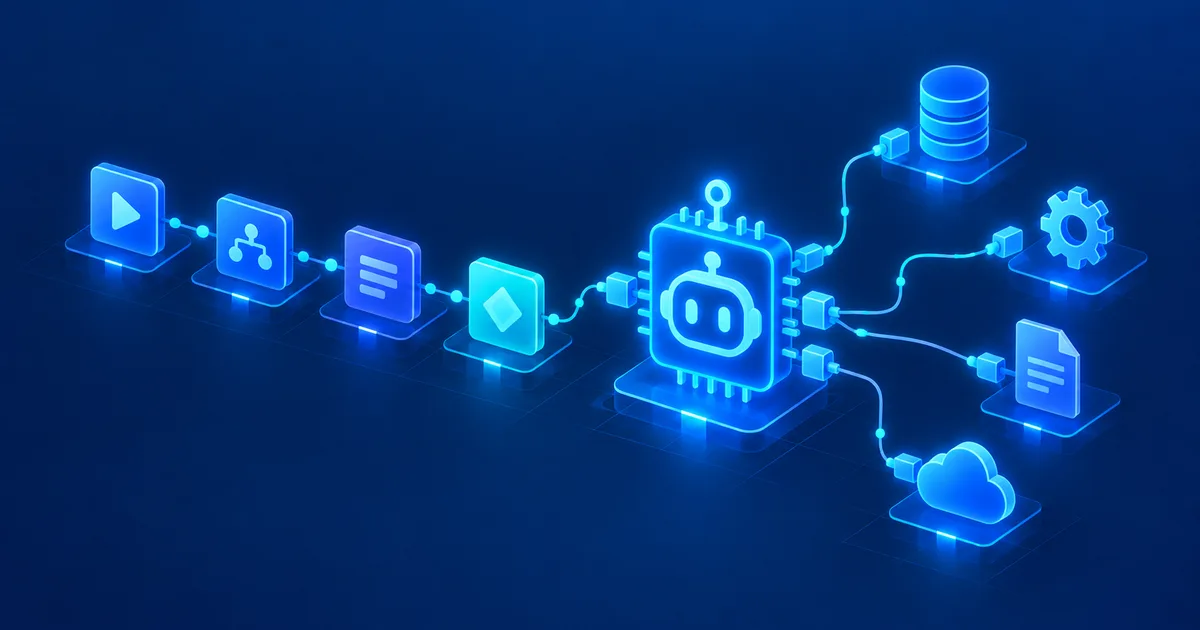
An AI agent can understand text, analyze data and prepare decisions extremely well. Without access to your systems, though, it's often limited to whatever is available inside the chat.
But what if an AI agent could look up a customer in a database on its own, check a server's status, trigger an n8n workflow, or pull information out of one of your internal systems?
That's exactly where the combination of n8n and MCP gets interesting.
Quick summary
The Model Context Protocol (MCP) creates a standardized connection between AI applications and external tools. n8n acts as the automation and integration layer: as an MCP client, an n8n AI Agent can use tools from an external MCP server. With the MCP Server Trigger, n8n itself becomes an MCP server and exposes its own workflows as tools for external agents. On top of that, there's an instance-wide n8n MCP server for interacting directly with your n8n environment. The practical takeaway: never give an agent direct system or database access — give it small, clearly defined tools built on the principle of least privilege.
The Model Context Protocol, or MCP for short, creates a standardized connection between AI applications and external tools. n8n takes on the role of the automation and integration layer.
That creates an architecture where an AI agent doesn't need a custom, one-off integration for every single system. Simplified, it looks like this:
AI agent → MCP → n8n → API / database / application / workflowOr in the other direction:
n8n AI Agent → MCP → external servicen8n now supports both directions. On top of that, an n8n instance can itself be made reachable for external AI applications via MCP.
What is MCP, exactly?
MCP stands for Model Context Protocol. The protocol defines a standardized way for AI applications to discover and use external functions and data sources. We cover the basics in detail in Model Context Protocol (MCP) Explained Simply (Read article).
An MCP server might expose functions such as:
search_customerget_server_statuscreate_ticketsearch_documentscreate_invoicerestart_service
The AI agent doesn't need to know whether a function is backed by a REST API, PostgreSQL, MariaDB, Microsoft 365, an internal application, or a complex n8n workflow. All it sees, at first, is a tool with a description and defined parameters.
In the MCP model, tools, resources and prompts each play a different role: tools can perform actions, while resources provide context and data. The current MCP specification from July 28, 2026 describes servers, clients and hosts as the base architecture, and additionally defines optional extensions — for example for asynchronous long-running operations and interactive UI elements.
For automation, one thing matters most: MCP can become the standard interface between AI agents and your own applications.
Why is n8n such a good fit for MCP?
n8n can already connect an enormous number of different systems, including REST APIs, webhooks, PostgreSQL, MySQL and MariaDB, Google and Microsoft services, GitHub, Slack, Telegram, CRM systems, ticketing systems, your own HTTP endpoints, and internal business applications.
Normally a developer has to build a dedicated function for an AI agent for every one of these systems. With n8n, you can build these integrations as reusable workflows instead, and MCP becomes the interface to the agent.
That creates a useful separation of concerns:
- The AI agent decides which tool it needs.
- MCP describes and transports the tool call.
- n8n handles the actual process logic.
That means you don't have to embed sensitive business logic entirely inside an AI agent.
The three MCP options in n8n
Talking about n8n and MCP quickly gets confusing, because n8n now offers several different MCP features. There are essentially three variants to distinguish.
1. MCP Client Tool
The MCP Client Tool connects an n8n AI Agent to an external MCP server. The direction is:
n8n AI Agent → MCP server → external toolAn external MCP server might, for example, provide access to Kubernetes, GitHub, document search, a database, a developer platform, an internal API, or a monitoring system. The agent inside n8n can then decide on its own when it needs one of these tools.
For the MCP Client Tool, n8n supports Bearer authentication, header-based authentication, multiple headers, and OAuth2. You can also explicitly choose whether the agent gets all tools from an MCP server, only selected ones, or all except specific excluded ones.
That matters a lot from a security perspective: an agent shouldn't automatically get every tool a server happens to offer.
2. MCP Server Trigger
The MCP Server Trigger works the other way around: here, n8n itself becomes an MCP server. The direction is:
ChatGPT / Claude / other agent → MCP → n8n workflowYou can use it to expose specific n8n tools or workflows to external MCP clients. n8n provides an MCP address for this; the external agent can list the available tools and then call individual ones.
Using a custom n8n workflow tool, you can also expose entire workflows. The MCP Server Trigger currently supports Server-Sent Events (SSE) and Streamable HTTP — it does not support stdio. For authentication, you can choose no authentication, Bearer, or header-based credentials.
That lets you hand an agent a single tool, say get_customer_information. The agent only ever sees that one tool. What happens inside n8n afterwards stays entirely under your control.
3. Instance-wide n8n MCP server
n8n also has an instance-wide MCP server, which lets compatible AI applications interact directly with your n8n instance. This is different from the MCP Server Trigger: while the trigger publishes tools from one specific workflow, the instance-wide MCP access connects an external AI application to your entire n8n instance.
It can help create, edit, test, and troubleshoot workflows using real workflow information and execution logs. n8n documents connections to Claude, ChatGPT, and other MCP-capable applications; for Claude Desktop specifically, the path runs through Settings → Connectors → "Add custom connector". One important detail: any connected client can generally see every workflow you've enabled for MCP access — enabling happens both at the instance level and individually per workflow.
This increasingly blurs the line between classic workflow automation and agent-driven automation.
Practical example: an internal IT agent built with n8n and MCP
Let's take a realistic example from systems administration. A company wants to build an internal AI assistant. Administrators should be able to ask, for example:
"Show me the current status of web server web03."
Or:
"Have there been any critical errors on this server since this morning?"
The agent needs access to internal systems to answer that — but giving it direct administrative access to your entire infrastructure would be a bad idea. Instead, we build controlled tools.
Tool 1: Query server status
An n8n workflow could, for example, collect the following information:
- Hostname
- CPU usage
- RAM usage
- Disk usage
- System uptime
- Status of key services
- Latest monitoring alerts
The MCP tool could be called get_server_status, with a hostname parameter. The agent would send, for example:
get_server_status(hostname="web03")n8n first checks whether the server name is allowed. Then the workflow queries monitoring, an API, or a database. The result goes back to the AI agent.
The key security benefit: the agent never gets direct SSH access. All it knows is get_server_status. That abstraction layer is enormously valuable.
Don't give access to the system — provide an allowed action instead.
Even better: separate reads from writes
Take another tool: restart_service. With that, an agent could restart a service — considerably more critical. That's why read and write operations should be separated.
For example, get_service_status can run automatically. restart_service, on the other hand, needs an additional approval step:
Agent
↓
MCP tool
↓
n8n
↓
Check permission
↓
Approval required?
↓
Admin confirms
↓
Execute action
↓
Log the result
This turns n8n into a policy enforcement point for the AI agent. For more on building the right permission structure around this, see What Permissions Should an AI Agent Have? Security Rules for Agents (Read article).
Connecting your own business data to an agent
MCP doesn't automatically mean an agent needs full database access. Here too, you should build targeted tools. Instead of execute_sql, prefer:
find_customerget_open_invoicesget_order_statussearch_productget_stock_level
With a generic SQL tool, an agent could in theory do far more than originally intended. A specialized tool, by contrast, limits its possible scope of action. That's the principle of least privilege — granting only the minimum permissions actually needed.
Example: a customer service agent
A customer service agent could get the following MCP tools:
find_customerget_ordersget_invoice_statuscreate_support_ticketsend_customer_email
Behind these, n8n connects to, say, a CRM, an ERP system, a ticketing system, and email. An employee could then simply write:
"Customer Miller is asking about order 84721. Check the status and open a support ticket if there's a delay."
The agent could then independently look up the customer, check the order, analyze the shipping status, and prepare a ticket if needed. Whether the email actually gets sent automatically or first needs a human confirmation is still entirely up to you.
MCP doesn't replace REST APIs
A common misconception is treating MCP as a replacement for classic APIs. In most architectures, that's not the right mental model. A typical structure looks more like this:
AI agent
│
▼
MCP
│
▼
n8n
│
├── REST API
├── Database
├── Webhook
├── SaaS API
└── Internal system
REST usually remains the actual technical interface to the underlying applications. MCP adds a tool layer on top that's designed specifically for agents.
A big advantage: tools become reusable
Imagine you build the following n8n workflows: search_customer, create_ticket, search_document, get_server_status, get_invoice.
That logic doesn't need to be rebuilt for every new AI agent. Instead, you can offer the same controlled functions to different MCP-capable clients. That effectively turns n8n into a kind of tool gateway for AI agents.
What makes a good MCP tool?
A tool should ideally do exactly one clearly defined thing. manage_customer is a bad example — search? update? delete? create an invoice? Smaller tools are better:
find_customerget_customer_ordersupdate_customer_phonecreate_support_ticket
The description matters too. An agent needs to be able to recognize when it should use a tool. A good tool description might read like this:
Returns the current monitoring status for an internal server.
Use this tool when the user asks about CPU, RAM, disk usage,
uptime or service availability.
The more precisely a tool is described, the more reliably an agent can decide when to use it.
Security: MCP is not an automatic trust zone
Just because a tool is exposed through MCP doesn't make it automatically safe. Production systems in particular need additional controls.
Expose only the tools that are actually needed
A support agent normally doesn't need access to delete_database, restart_cluster, or create_admin_user. With the n8n MCP Client Tool, you can explicitly choose which tools of an MCP server the agent gets.
Use separate service accounts
Don't reuse personal admin accounts for automation. Better: agent-crm-read, agent-ticket-create, agent-monitoring-read. Each account only gets the permissions it actually needs. We cover how to store the matching API keys correctly in Protecting API Keys in AI Agents (Read article).
Lock down write access
Critical functions should require an extra approval step — deleting a user, restarting a server, cancelling an invoice, changing DNS, creating a firewall rule, sending an email to a customer. A human-in-the-loop step is a good fit here.
Validate inputs and log every action
Never trust unvalidated parameters coming from an agent. If a tool expects a server name, check: is this host allowed? Does it exist? Is this action permitted for this host?
It should also stay traceable for every agent action: when did it run, which agent triggered it, which tool was used, which parameters were passed, and what was the result? Observability for AI agents is becoming increasingly important, especially in enterprise environments.
Watch out for prompt injection
Things get especially risky when an agent can both read external content and execute actions — for example fetching a web page, analyzing its content, and having access to internal MCP tools at the same time. If that external source contains manipulated instructions, it can turn into a prompt injection risk. We cover the basics in Prompt Injection Explained: How Attackers Hijack AI Agents (Read article).
That's why particularly critical tools should never be allowed to perform irreversible actions purely based on a model's own decision. A solid security model looks like this:
Read              → relatively generous
Modify            → restricted
Delete            → tightly restricted
Critical actions  → human approval required
Running the MCP Server Trigger behind a reverse proxy
If you self-host n8n, there's one more thing worth knowing: the MCP Server Trigger supports SSE and Streamable HTTP. Behind a reverse proxy like nginx, the connection needs to be configured accordingly — among other things, disabling proxy buffering, disabling gzip compression, disabling chunked transfer encoding, and not forwarding the Connection header unnecessarily. With multiple webhook replicas, routing needs extra attention too.
For production self-hosted setups, you should specifically check: reverse proxy, load balancer, timeouts, SSE/Streamable HTTP, TLS, authentication, ingress routing, and logging. Otherwise, an MCP endpoint that looks like it works fine can suddenly become unstable under load or with multiple instances.
Matching product in my shop
MCP Server Praxisleitfaden 2026 (German-language edition)
Want to go beyond understanding MCP and actually run it securely in practice? This practical guide covers building, installing, and securely operating local and remote MCP servers — including Python, OAuth/OIDC, GDPR, logging, and server automation.
When should n8n be an MCP client?
Use n8n as an MCP client when your n8n agent should use capabilities from an existing MCP server:
n8n AI Agent
↓
MCP Client Tool
↓
MCP server
↓
external service
Typical use cases: developer tools, search systems, data platforms, external specialist services, infrastructure tools, document platforms.
When should n8n be an MCP server?
Use n8n as an MCP server when external AI agents should use your existing n8n automations:
ChatGPT / Claude / Agent
↓
MCP
↓
n8n
↓
Workflow
↓
CRM / ERP / API / DB
This is especially interesting once you've already connected a lot of business systems through n8n — you don't need to program those integrations again separately for every AI agent. We cover how to build such agents in n8n in the first place in Build AI Agents with n8n — No Code Required (Read article).
And when does the instance-wide n8n MCP server make sense?
The instance-wide MCP access is especially useful when an external AI application should work more directly with your n8n development environment itself. For example:
"Build me a workflow that analyzes new support emails and creates a ticket for high-priority ones."
Or:
"Why did my workflow fail on its last run?"
n8n positions its instance-wide MCP server exactly for scenarios like these: AI applications can use it to create, inspect, test, and further develop workflows. That's a different thing from exposing a single business tool through the MCP Server Trigger.
One possible enterprise architecture
A clean, production-ready architecture might look like this:
┌──────────────────┐
│ AI agent          │
│ ChatGPT / Claude  │
└────────┬─────────┘
         │
        MCP
         │
┌────────▼─────────┐
│ n8n               │
│ Automation layer  │
└────────┬─────────┘
         │
 ┌───────┼───────┐
 │       │       │
 ▼       ▼       ▼
Monitoring  CRM  Database
 │          │      │
 ▼          ▼      ▼
Read tools  Business tools  Read/write
n8n doesn't just act as a passthrough here. It takes on important work like authentication, validation, permissions, logging, workflow logic, error handling, approvals, rate limits, and data preparation. That's exactly why combining n8n and MCP is so compelling.
Five good n8n + MCP starter projects
If you want to try MCP for yourself, don't jump straight into a fully autonomous agent. Start with small, easily controllable tools.
1. Monitoring assistant
Tools: get_server_status, get_active_alerts, get_service_status. Read-only to start.
2. Internal knowledge search
Tools: search_document, get_policy, find_manual. The agent can find documents but can't change anything.
3. Helpdesk agent
Tools: search_user, get_device, create_ticket, get_ticket_status.
4. CRM assistant
Tools: find_customer, get_customer_orders, get_open_tasks. Write operations come later.
5. DevOps agent
Tools: get_deployment_status, get_pipeline_status, get_recent_errors. The first version here should only deliver information too.
The right starting point: read-only first
The single most important recommendation for any new AI agent: start with read-only tools. An agent that only reads monitoring data can do very little damage. An agent with restart_server, delete_user, drop_database, or deploy_production, on the other hand, plays in a completely different risk class.
A sensible rollout typically looks like this:
Phase 1  Read only
Phase 2  Non-critical actions
Phase 3  Write actions with approval
Phase 4  Selected automatic actions
Phase 5  Extended agent automation
Autonomy should be earned — not the default setting.
FAQ: n8n and MCP
What is MCP in n8n?
MCP stands for Model Context Protocol. n8n can use MCP to bring external tools into your own AI agents, or to expose your own n8n workflows and tools to external MCP-capable AI applications.
Can n8n be used as an MCP server?
Yes. The MCP Server Trigger lets you expose n8n tools and workflows to external clients through an MCP endpoint. n8n also offers an instance-wide MCP server for interacting with the n8n environment itself.
Can n8n use external MCP servers?
Yes. With the MCP Client or MCP Client Tool, n8n can use tools from an external MCP server. The MCP Client Tool is specifically designed to make those tools available to an n8n AI Agent.
Can I connect ChatGPT to n8n via MCP?
MCP-capable AI applications can generally connect to a matching n8n MCP endpoint. Which connection options are available depends on the specific client and its MCP support.
Is MCP secure?
MCP provides a protocol, not a security concept. Authentication, tool selection, permissions, input validation, logging and approval workflows still need to be carefully planned.
Should an AI agent get direct database access?
In many cases it's safer to provide specialized functions such as find_customer or get_invoice instead of allowing generic SQL access. That keeps the agent's possible scope of action much more tightly controlled.
Conclusion: MCP turns n8n into a toolbox for AI agents
MCP solves one of the central problems of modern AI agents: how does a model get controlled access to real systems? n8n complements this idea perfectly. The protocol provides a standardized interface, while n8n connects APIs, databases, SaaS tools, and internal applications.
The result is a clear architecture:
AI agent
↓
MCP
↓
n8n
↓
Controlled business logic
↓
Your systems
What makes this especially interesting is that n8n can now cover both sides. As an MCP client, an n8n agent can use external tools. With the MCP Server Trigger, your own workflows can be exposed as tools for external agents. And through the instance-wide n8n MCP server, compatible AI applications can now work much more directly with the n8n environment itself.
That turns a simple chatbot, step by step, into an agent that can actually work with your business systems. But the key point still stands:
Don't just give an AI agent access to your infrastructure. Give it small, clearly defined, controlled tools.
That's exactly what makes the combination of n8n and MCP so compelling. For the matching permissions and skills concepts around it, see AI Skills, Plugins, Apps and MCP: What's the Difference? (Read article) and ChatGPT Work Explained: Structuring Larger Tasks (Read article).
Matching product in my shop
MCP Server Praxisleitfaden 2026 (German-language edition)
Installation, security, OAuth/OIDC, GDPR, and server automation: this practical guide takes you from your first own MCP server through to a secured, production-ready setup.
Sources and currency
Article status and fact-check: September 23, 2026. Based on, among other things, the MCP specification from July 28, 2026, and the n8n documentation for the MCP Client Tool node, the MCP Server Trigger node, and the instance-wide n8n MCP server. Product interfaces, feature sets, and supported authentication methods may change.
Model Context Protocol (MCP) Explained Simply (Read article)
Building Your Own MCP Server: Architecture and a Python Example (Read article)
MCP Server Security: Permissions, Tools and Risks Explained (Read article)
What Permissions Should an AI Agent Have? Security Rules for Agents (Read article)
Protecting API Keys in AI Agents (Read article)
AI Skills, Plugins, Apps and MCP: What's the Difference? (Read article)
Build AI Agents with n8n — No Code Required (Read article)
ChatGPT Work Explained: Structuring Larger Tasks (Read article)